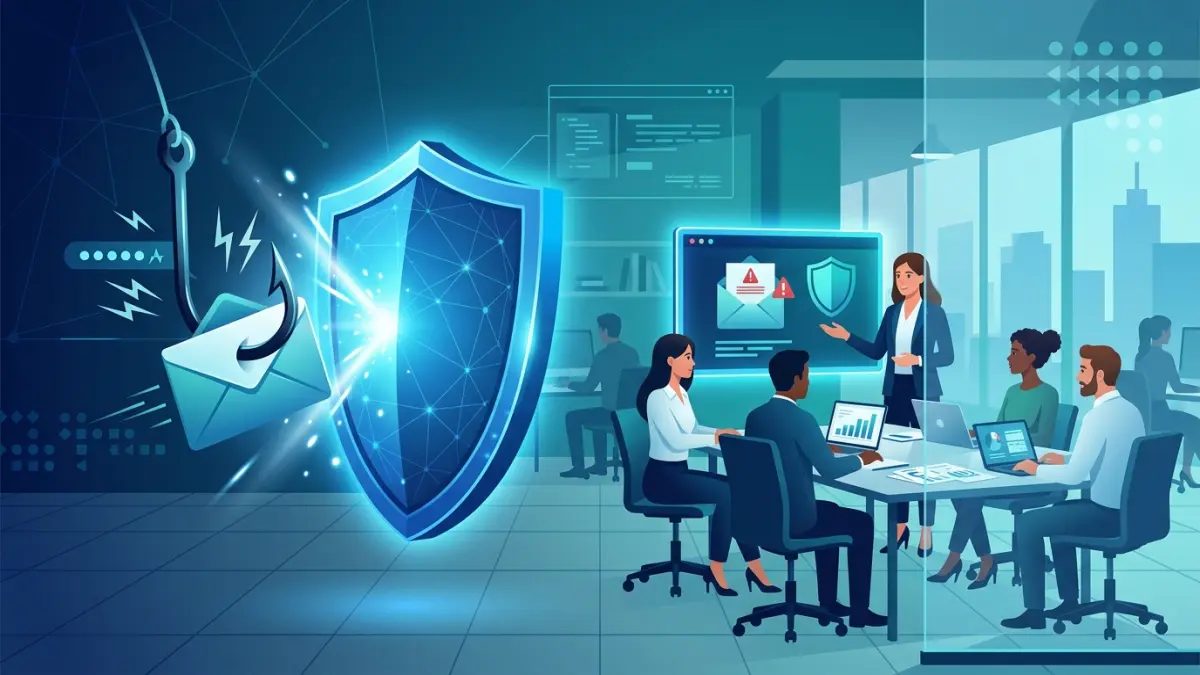
To prevent phishing, Canadian businesses should layer four things: phishing-resistant MFA on every account, enforced email authentication (SPF, DKIM, and DMARC at p=reject), an email security gateway that inspects links and attachments, and quarterly phishing-simulation training with a no-blame reporting culture. No single control is enough — phishing succeeds by exploiting people, technology, and process at the same time, so defence has to work across all three. Add a tested incident-response plan so that when someone does click, the click becomes a contained event instead of a breach.
What Phishing Actually Is — and Why It Still Works
Phishing is a social-engineering attack in which a criminal impersonates a trusted person, brand, or system to trick a target into doing something harmful: clicking a malicious link, entering credentials on a fake login page, opening a weaponized attachment, or authorizing a payment. The medium varies — email, text message, phone call, QR code, collaboration-app message — but the mechanism is constant. It does not break your firewall; it borrows your trust and your sense of urgency.
It works because it targets the one part of your security stack that cannot be patched: human judgment under pressure. A well-built phishing message creates a plausible context (an invoice, a password expiry, a courier delivery, a request from the boss), adds time pressure ("respond within the hour or the account is suspended"), and offers a single, easy action. For a busy employee processing a hundred emails a day, the path of least resistance is to click. The Canadian Centre for Cyber Security (CCCS, part of the Communications Security Establishment) consistently identifies phishing and other forms of social engineering as the most common initial-access method behind cyber incidents affecting Canadian organizations, and the Canadian Anti-Fraud Centre (CAFC) reports that fraud — much of it phishing-enabled — costs Canadians and Canadian businesses hundreds of millions of dollars in reported losses each year, with the true figure far higher because most fraud goes unreported.
For small and medium-sized businesses the stakes are sharply asymmetric. A large enterprise has a security operations centre, layered controls, and the cash to absorb a loss. A 25-person firm in Saskatoon or Trois-Rivières often has none of those, yet handles exactly the kind of data — client personal information, banking details, CRA correspondence — that attackers monetize. Phishing is the great equalizer of cybercrime: it scales cheaply, it does not require sophisticated malware, and it works against the under-defended just as well as the well-defended. That is precisely why prevention has to be deliberate rather than assumed.
The good news is that phishing is also one of the most defensible threats, because its mechanics are well understood and the countermeasures are mature, affordable, and largely within reach of any business. The rest of this guide breaks the problem into its parts — the attack types, the warning signs, the technical controls, the human controls, and the response plan — so you can build a defence that is layered rather than hopeful.
The Main Types of Phishing Attacks
"Phishing" is an umbrella term. The defences you need depend on which variant you are facing, and most businesses face all of them. Understanding the differences is the first step to recognizing them.
Bulk (commodity) phishing. The classic spray-and-pray campaign: millions of identical emails impersonating a bank, Microsoft 365, a courier, or the CRA, each carrying a link to a credential-harvesting page. These are unsophisticated and your email gateway catches most of them — but "most" is not "all," and it only takes one click on one fake Microsoft login page to hand an attacker a working mailbox.
Spear-phishing. A targeted attack aimed at a specific person or small group, using details the attacker has researched from your website, LinkedIn, press releases, or a prior breach. A spear-phish addresses the recipient by name, references a real project or colleague, and is dramatically more convincing than bulk phishing. It is the workhorse of serious intrusions because the personalization defeats both filters and casual scrutiny.
Whaling. Spear-phishing aimed at the biggest fish — the owner, CEO, CFO, or a board member. The payoff is access to the most sensitive information and the authority to move money, so attackers invest more effort. Whaling messages are often impeccably written, legally framed, and timed to moments of plausible busyness such as quarter-end or an acquisition.
Business email compromise (BEC). The most financially damaging category. The attacker impersonates an executive, a supplier, or a trusted third party — using a look-alike domain, a spoofed display name, or a genuinely hijacked mailbox — to trick an employee into wiring funds or changing banking details. BEC carries no malware, so signature-based filters have nothing to detect; it is pure social engineering, and it routinely produces five- and six-figure losses for Canadian SMBs. A common pattern is the "supplier banking change": an email, apparently from a known vendor, asks accounts payable to update the deposit account before the next invoice run.
Smishing (SMS phishing). Phishing by text message or messaging app. Canadians see a constant stream of fake "your parcel is held at customs" texts, CRA refund notices, and Interac e-Transfer alerts, each with a link to a credential or payment-harvesting page. Smishing bypasses your email security entirely and lands on personal and corporate phones that often have no filtering at all.
Vishing (voice phishing). Phishing by phone call. An attacker phones an employee pretending to be IT support, a bank fraud department, a software vendor, or a senior manager, and talks them into reading out an MFA code, resetting a password, or approving a transaction. Vishing is increasingly paired with email (an email "warns" of a call, lending the call legitimacy) and with AI voice cloning that can mimic a known executive's voice from a few seconds of public audio.
Quishing (QR-code phishing). A newer twist where the malicious link is embedded in a QR code inside an email or a printed notice, moving the click from the monitored corporate computer to an unmonitored personal phone. Because the URL is hidden inside an image, many email filters never see it.
Clone phishing and thread hijacking. The attacker copies a legitimate message you have already received — or replies into a real, ongoing email thread from a compromised account — and swaps in a malicious link or attachment. Because the conversation is genuine and the history is intact, these are among the hardest attacks for a human to catch.
| Type | Channel / hook | Primary defence |
|---|---|---|
| Bulk phishing | Mass email, fake login pages | Email gateway + MFA |
| Spear-phishing | Researched, personalized email | Training + DMARC + MFA |
| Whaling | Executive impersonation | Out-of-band verification |
| BEC | Payment / banking-change fraud | Dual-control payment process |
| Smishing | SMS / app text with link | Awareness + never-click rule |
| Vishing | Fraudulent phone call | Callback verification policy |
| Quishing | QR code → personal phone | Awareness + mobile MFA |
Red Flags: How to Spot a Phishing Attempt
Most phishing messages share a recognizable DNA. Teaching staff to pause and scan for these signals is the single cheapest, highest-return control any business can deploy. The aim is not paranoia about every email; it is a reflex to slow down when two or more of these signals appear together.
- Urgency and threat. "Your account will be suspended in 24 hours." "Final notice." "Immediate action required." Manufactured time pressure is designed to short-circuit careful thought.
- Unexpected request for action. A login, a password reset, a payment, a banking change, or a document you were not expecting — especially when it arrives out of the blue.
- Mismatched sender address. The display name reads "Microsoft" or "Jean from Accounting," but the actual address is a random Gmail account or a look-alike domain (rnicrosoft.com, itcares-support.net, a swapped letter, an extra hyphen).
- Hover-mismatch links. The visible link text says one thing; hovering reveals a completely different destination. On mobile, press and hold to preview before tapping.
- Generic or oddly specific greeting. "Dear valued customer" from a company that knows your name — or, in spear-phishing, a greeting that is suspiciously personal given the supposed sender.
- Requests for credentials, codes, or secrecy. Legitimate IT, banks, and the CRA never ask for your password or your MFA code, and never ask you to keep a transaction confidential from colleagues.
- Attachments you did not ask for. Unexpected invoices, "scanned documents," HTML files, or password-protected archives (the password defeats the scanner).
- Subtle language and formatting errors. Off grammar, inconsistent branding, slightly wrong logos, or a tone that does not match the supposed sender. AI has reduced obvious typos, so weight this signal less than sender and link checks.
- Reply-to that differs from the From. Mail appears to come from a colleague, but replies route to an external address — a hallmark of BEC.
- Channel-jumping pressure. "I'm in a meeting, just text me" or "call this number" to move you off monitored email and onto an unverified phone.
Embed one simple rule across the whole organization: when a message asks you to log in, pay, or change account details, verify through a separate, known channel before acting. Phone the colleague on their known number, open the bank or vendor portal by typing the address yourself, or walk over to IT. The thirty seconds of friction is the entire defence.
Technical Control 1: Email Authentication — SPF, DKIM, and DMARC
Email authentication stops attackers from sending mail that appears to come from your exact domain — the foundation of brand impersonation, supplier-thread BEC, and internal-spoofing whaling. Three DNS-based standards work together, and getting all three right is one of the highest-value, lowest-cost projects a Canadian business can undertake.
SPF (Sender Policy Framework) publishes, in your DNS, the list of servers permitted to send email for your domain. A receiving server checks the sending server against that list. SPF alone is fragile — it breaks with forwarding and only checks the envelope sender — but it is a required building block.
DKIM (DomainKeys Identified Mail) adds a cryptographic signature to every outgoing message, letting the recipient verify the mail genuinely came from your domain and was not altered in transit. DKIM survives forwarding where SPF does not.
DMARC (Domain-based Message Authentication, Reporting and Conformance) ties SPF and DKIM together and tells receiving servers what to do when a message fails both checks: do nothing (p=none), send it to junk (p=quarantine), or block it outright (p=reject). DMARC also sends you aggregate reports showing who is sending mail as your domain — including the attackers. The Canadian Centre for Cyber Security recommends DMARC, and the Government of Canada has long mandated it for federal domains under its Information Technology Policy on email, requiring p=reject. Your business should match that standard.
The deployment path is deliberate, because moving too fast can block your own legitimate mail (newsletters, invoicing platforms, CRM, payroll providers):
- Inventory your senders. List every service that sends email on your behalf — Microsoft 365 or Google Workspace, your accounting/invoicing tool, marketing platform, helpdesk, e-commerce system. Each must be authorized in SPF and signing with DKIM.
- Publish SPF and enable DKIM for every legitimate sender. In Microsoft 365 and Google Workspace this is a few clicks plus DNS records.
- Publish DMARC at p=none with a reporting address. This changes nothing for mail flow but starts collecting reports that reveal who sends as your domain and whether your legitimate senders pass.
- Read the reports for 2–4 weeks, fix any legitimate senders that fail alignment, then move to p=quarantine (failures go to junk).
- Once clean, enforce p=reject. Now no one — including attackers — can deliver mail that spoofs your domain. Keep monitoring the reports indefinitely.
Two complements are worth adding once DMARC is enforced: MTA-STS and TLS-RPT to secure mail in transit, and external-sender warning banners (a one-line "[External]" tag your mail platform prepends to mail from outside the organization) so that an internal-spoofing attempt visibly contradicts itself. For the full email-layer build, see our email security services guide.
Technical Control 2: Multi-Factor Authentication (MFA) Done Right
If email authentication stops attackers from impersonating you, MFA stops them from using the credentials they steal. When a phishing page captures a username and password, MFA is the control that keeps that stolen pair from becoming account access. Microsoft's own data has long indicated that enabling MFA blocks the overwhelming majority of automated account-compromise attempts. For most Canadian SMBs, turning MFA on everywhere is the single highest-impact security action available — and in Microsoft 365 and Google Workspace it is included at no extra licence cost.
But not all MFA is equal, and attackers have adapted. Two techniques now defeat weaker MFA:
Adversary-in-the-middle (AiTM) phishing. A modern phishing kit proxies the real login page in real time. The victim enters their password and their one-time code on the attacker's relay, the attacker passes them to the genuine site, and steals the resulting session cookie — bypassing SMS and app-code MFA entirely. This is now common, not exotic.
MFA-fatigue / push bombing. The attacker, holding a stolen password, fires repeated approval prompts at the victim's phone until an exhausted or confused user taps "Approve." Several major breaches began exactly this way.
The defence is to deploy phishing-resistant MFA where it matters most:
- FIDO2 security keys and passkeys are the gold standard. They are cryptographically bound to the legitimate website, so they simply will not authenticate against a phishing relay — they defeat AiTM by design. Issue them to executives, finance, IT administrators, and any account with access to money or sensitive data.
- Number-matching with context (in Microsoft Authenticator) forces the user to type a number shown on the login screen and shows the location and app requesting access — killing blind push-bombing. Enable it tenant-wide as a minimum.
- Avoid SMS codes where possible; they are vulnerable to SIM-swap and interception. SMS MFA is still far better than no MFA, so use it as a fallback, not the default.
- Protect the session, not just the login. Conditional-access policies (Microsoft Entra) that require compliant or managed devices, block legacy authentication protocols, and shorten session lifetimes for risky sign-ins blunt stolen-cookie attacks.
Sequence it pragmatically: enable MFA on every account this week, switch on number-matching tenant-wide, then roll FIDO2 keys to your highest-risk roles over the following weeks. See our MFA deployment guide for Canada for the step-by-step rollout, including break-glass account design so you never lock yourself out.
Technical Control 3: Email Gateway, Endpoint, and Browser Defences
Authentication and MFA are the backbone, but several supporting controls catch what gets through and limit what a click can do.
Secure email gateway / advanced filtering. Microsoft Defender for Office 365, Google Workspace advanced protection, or a third-party gateway add link rewriting and time-of-click checking (so a link that was clean at delivery but weaponized later is still blocked), attachment detonation in a sandbox, impersonation protection that flags display-name and look-alike-domain spoofing of your executives and key vendors, and quarantine for high-confidence phishing. These materially raise the bar against spear-phishing and BEC.
Endpoint detection and response (EDR). When a phishing payload does execute, EDR detects the malicious behaviour, isolates the device from the network automatically, and gives responders the telemetry to scope the incident. Modern EDR is within SMB budgets and is increasingly a cyber-insurance requirement. See our EDR explainer and endpoint protection guide.
DNS and web filtering. Blocking known-malicious and newly-registered domains at the DNS layer stops many credential-harvesting pages from ever loading, even after a click. It also covers links opened outside email — from smishing texts or QR codes — when the device uses your protective DNS.
Disable risky defaults. Block legacy authentication, disable auto-forwarding rules to external addresses (a favourite attacker persistence trick), restrict who can create inbox rules, and disable macros from the internet in Microsoft Office — a long-standing malware vector.
Patch and update. Phishing payloads frequently exploit unpatched browsers, PDF readers, and operating systems. A disciplined patch cadence shrinks the window in which a click can lead to code execution. Combine these with the foundational controls in our network security best-practices guide.
The Human Layer: Security-Awareness Training That Actually Sticks
Technology blocks most phishing; trained people catch the rest — the targeted, no-malware, socially clever attacks that filters miss. But awareness training fails when it is an annual, box-ticking video that staff click through. Effective training is continuous, role-relevant, short, and supportive. The metric that matters is not how many people you can catch out, but how quickly and reliably your people report.
A program that works for a Canadian SMB has a few defining traits:
- Frequent and bite-sized. Short modules every month or two beat a single long annual session. Pattern recognition needs repetition.
- Role-tailored. Finance learns BEC and invoice fraud; executives learn whaling and voice-clone vishing; HR learns recruitment and payroll-redirect scams; everyone learns credential-harvesting and smishing.
- Canadian and current. Use real local lures — CRA tax-season phishing, Interac e-Transfer scams, Canada Post / courier smishing, Service Canada impersonation — so the examples feel real.
- One-click reporting. A "Report Phishing" button in Outlook and the mobile mail app removes all friction. Make reporting the easy, praised default.
- No blame, ever. Punishing people who click — or who report a real click late — guarantees the next person hides theirs. Celebrate reports, including false alarms. Psychological safety is a security control.
- Leadership participation. When the owner and managers visibly take the training and report suspicious mail, it signals the behaviour is expected of everyone.
Train the phone and text channels too, not just the inbox. Staff should know the organization's verification rules cold: IT will never ask for your password or MFA code; the bank will never ask you to read out a code; any payment or banking change requires out-of-band confirmation; an unexpected QR code is treated like an unexpected link. These rules only work if they are written down, repeated, and modelled from the top.
Phishing Simulations: Measure, Coach, Improve
Simulated phishing campaigns send safe, fake phishing emails to your own staff to measure who clicks, who reports, and how the organization is trending. Done well, simulations turn awareness from a vague aspiration into a measured, improving capability. Done badly — as a gotcha exercise that humiliates people — they breed resentment and drive real clicks underground.
The principles that separate a useful program from a counterproductive one:
- Baseline first. Run an initial simulation to establish your current click rate and report rate before any training. You cannot show improvement you did not measure.
- Quarterly cadence, monthly for high-risk roles. Frequent enough to build reflexes, not so frequent it becomes background noise. Vary the lures and difficulty.
- Coach at the moment of the click. When someone clicks a simulation, show a brief, friendly landing page that explains the red flags they missed and what to do next time — immediate, specific, and non-punitive learning beats a quarterly lecture.
- Track the right metrics. Click rate should fall and — more importantly — report rate should rise. A high report rate means your people are an active sensor network. Time-to-first-report is a powerful operational metric.
- Avoid cruel lures. Faking bonus payments, layoff notices, or vaccine results destroys trust and can cause real harm. Keep lures realistic but not exploitative; many organizations publish a charter of what they will and won't simulate.
- Close the loop with the technical team. Reported real phishing should feed your gateway's block lists and your incident process, so human reports actively harden the technical layer.
Most Canadian SMBs run simulations through their managed IT provider or a platform such as Microsoft Defender's Attack Simulation Training (included in some Microsoft 365 plans), or a dedicated awareness vendor. The tool matters less than the discipline: baseline, simulate, coach, measure, repeat.
Defending Against Business Email Compromise (BEC) Specifically
BEC deserves its own playbook because it is the costliest phishing variant and because technical filters alone cannot stop it — there is no malware to detect, only a persuasive request. The defence is a process control: make it structurally impossible for one tricked person to move money or change banking details unilaterally.
- Out-of-band verification for every payment and banking change. Any request to wire funds, change a supplier's bank account, or pay an unusual invoice must be confirmed by phoning the requester or vendor on a previously known number — never a number supplied in the email itself.
- Dual control / two-person rule. Payments above a threshold require a second authorized approver. This single policy neutralizes most CEO-impersonation fraud.
- A hard rule on banking-detail changes. Treat any "we've changed our bank account" message as suspicious by default and verify it through an established contact before a single payment moves.
- Flag external and look-alike mail. External-sender banners and impersonation protection make a fake "internal" CEO request visibly external, and a look-alike vendor domain stand out.
- Enforce DMARC at p=reject so attackers cannot use your exact domain, and monitor for newly registered look-alike domains targeting your brand.
- Lock down mailboxes. MFA everywhere, alerts on new inbox-forwarding rules, and review of mailbox delegation reduce the odds an attacker can hijack a real account to run thread-hijacking BEC.
If funds are sent, time is everything: contact your bank immediately to attempt a recall, report to the Canadian Anti-Fraud Centre, and notify your insurer. Recovery odds drop sharply after the first 24–72 hours, so the response must be rehearsed in advance, not improvised.
What to Do If Someone Clicks: Incident Response
Assume that, eventually, someone will click. A mature organization is defined not by zero clicks but by how fast and calmly it contains one. The most damaging thing an employee can do after clicking is nothing — staying silent out of embarrassment while an attacker quietly establishes a foothold. Build the opposite reflex: report instantly, no consequences for honest reporting.
The employee should, immediately:
- Stop and disconnect. If they entered credentials or a code, or if anything downloaded or ran, disconnect the device from Wi-Fi and unplug the network cable. Do not shut it down — IT may need the live state.
- Do not enter any more credentials and do not "just check" by clicking again.
- Report at once to IT or the designated security contact, via the Report Phishing button and a direct message or call. Faster is always better than tidier.
IT or the security team should then:
- Reset the affected account password and, critically, revoke all active sessions and tokens — a password reset alone does not evict an attacker holding a stolen session cookie.
- Hunt for persistence: check for newly created inbox-forwarding rules, mailbox delegations, added MFA methods, OAuth app grants, and changed recovery details — all common attacker footholds.
- Review sign-in and audit logs for impossible-travel logins, unfamiliar IP addresses, and access to mail or files after the click.
- Isolate and scan the device with EDR; reimage if any payload executed.
- Scope the blast radius: identify who else received the same message, pull it from inboxes, and block the sender, domains, and URLs at the gateway and DNS.
- Assess data exposure. If personal information may have been accessed, evaluate breach-notification obligations under PIPEDA (real risk of significant harm) and, in Quebec, Law 25 (72-hour notice to the CAI). See our Canadian breach-notification guide.
- Notify your cyber insurer early — many policies require prompt notice and provide breach-coach and forensics support.
- Document and debrief. Capture what happened, fix the gap, and feed lessons back into training and filtering. Hold a blameless post-incident review.
For organizations without in-house security depth, this is where a managed partner earns its keep. IT Cares provides remote and on-site incident response for Canadian businesses, taking over the containment and recovery steps above when a click becomes something more serious. Every business should have its response steps written down before they are needed — see our incident-response planning guide.
CCCS Guidance and the Canadian Regulatory Picture
Canadian businesses do not have to invent their phishing defence from scratch. The Canadian Centre for Cyber Security (CCCS), the national authority on cyber security operated by the Communications Security Establishment, publishes free, practical, vendor-neutral guidance aimed squarely at organizations of every size. Three resources are especially relevant:
- Baseline Cyber Security Controls for Small and Medium Organizations — a prioritized, plain-language control set (MFA, patching, backups, training, email security) explicitly designed for the SMB that cannot implement a full enterprise framework. It is the best starting checklist in the Canadian context.
- Guidance on phishing and spear-phishing — CCCS materials explain how to recognize attacks, configure email authentication, and educate staff. The CCCS recommends DMARC and provides implementation guidance.
- Get Cyber Safe — the national public-awareness campaign with ready-made, Canadian-flavoured staff education materials you can use directly in your training.
On the legal side, while no Canadian law says "thou shalt prevent phishing" in those words, several make anti-phishing controls effectively mandatory. PIPEDA requires safeguards appropriate to the sensitivity of the personal information you hold, and mandatory breach reporting for incidents posing a real risk of significant harm — and phishing is the leading cause of those breaches. Quebec's Law 25 adds stricter accountability, a designated privacy officer, mandatory PIAs, and 72-hour breach notification to the Commission d'accès à l'information. CASL (Canada's Anti-Spam Legislation) governs commercial electronic messages and gives the CRTC enforcement tools that touch on malicious mail. And cyber-insurance underwriters now require MFA, email filtering, backups, training, and an incident-response plan as conditions of coverage — turning good anti-phishing hygiene into a commercial prerequisite. Mapping your controls to these obligations is part of any serious security program; our Law 25 compliance guide and Canadian compliance frameworks overview walk through the details.
Cost of Phishing Controls vs. the Cost of a Breach
The economics of phishing prevention are overwhelmingly favourable. The core controls are inexpensive or already included in software you own, while a single successful BEC or ransomware event can be existential for an SMB. The table below sketches realistic 2026 Canadian costs for a roughly 25–60-person business.
| Control | What it stops | Typical CA$ / year |
|---|---|---|
| MFA (M365/Workspace built-in) | Stolen-credential account takeover | $0 (included) |
| FIDO2 security keys (high-risk staff) | AiTM / MFA-bypass phishing | $50–$90 per key, one-time |
| SPF / DKIM / DMARC setup | Domain spoofing, BEC, whaling | $500–$2,500 setup, low upkeep |
| Advanced email filtering | Bulk + spear-phishing, malicious links | $3–$8 per user / month |
| EDR + DNS filtering | Payload execution, malicious sites | $6–$15 per device / month |
| Awareness training + simulations | Targeted social engineering | $2–$5 per user / month |
Tally it up and a comprehensive anti-phishing posture for a 40-person Canadian SMB runs in the low five figures per year — a fraction of a single average ransomware demand, and far below the cost of breach notification, regulatory response, downtime, and lost client trust. Against losses that the Canadian Anti-Fraud Centre measures in the hundreds of millions annually, prevention is not a cost centre; it is the cheapest insurance a business can buy. For how these controls fit a broader security budget, see our small business cybersecurity guide.
Your Phishing-Prevention Checklist
Use this checklist to audit where your business stands today. Aim to be able to tick every box; each unticked item is an open door.
- ☐ MFA is enabled on every account — email, VPN, remote access, and cloud admin.
- ☐ Number-matching is on, and FIDO2 keys or passkeys protect executives, finance, and IT admins.
- ☐ SPF and DKIM are configured for every legitimate sending service.
- ☐ DMARC is published and enforced at p=reject, with reports monitored.
- ☐ An advanced email gateway provides link rewriting, sandboxing, and impersonation protection.
- ☐ EDR runs on all endpoints and DNS/web filtering is in place.
- ☐ Legacy authentication is blocked and external auto-forwarding is disabled.
- ☐ External-sender warning banners are turned on.
- ☐ Office macros from the internet are blocked by default.
- ☐ A one-click "Report Phishing" button exists in desktop and mobile mail.
- ☐ Staff complete short, role-relevant, Canadian-context awareness training regularly.
- ☐ Phishing simulations run quarterly (monthly for high-risk roles) with no-blame coaching.
- ☐ Payments and banking-detail changes require out-of-band verification and dual control.
- ☐ A written, rehearsed incident-response plan exists, with revoke-session steps and breach-notification triggers.
- ☐ Cyber insurance is in place and its security requirements are met.
- ☐ Controls are mapped to CCCS Baseline Controls, PIPEDA, and (in Quebec) Law 25.
Related Guides
- Small Business Cybersecurity Hub →
- Email Security Services →
- MFA Deployment Guide (Canada) →
- Incident Response Planning →
- Data Breach Notification in Canada →
- Endpoint Protection Services →
- Quebec Law 25 Compliance Guide →
Frequently Asked Questions
What is the most effective way to prevent phishing in a small business?
No single control stops phishing — prevention is layered. The highest-impact combination for a Canadian SMB is phishing-resistant MFA on every account, enforced DMARC at p=reject to stop domain spoofing, an email gateway that rewrites links and detonates attachments, and quarterly phishing-simulation training. MFA alone blocks the majority of credential-theft attacks even when a password is stolen, and DMARC stops attackers from sending mail that appears to come from your own domain. Add a tested incident-response plan and a no-blame reporting culture so the inevitable click stays contained.
What is business email compromise (BEC) and why is it so costly?
Business email compromise is a targeted fraud where an attacker impersonates an executive, supplier, or trusted party — often using a look-alike domain or a genuinely compromised mailbox — to trick staff into wiring money or changing banking details. It is costly because it carries no malware for filters to catch: it relies purely on social engineering and authority. The Canadian Anti-Fraud Centre consistently ranks BEC among the highest-dollar-loss fraud categories reported in Canada. The defence is a process control — out-of-band verification and dual approval for every payment and banking change.
Does MFA stop phishing on its own?
MFA dramatically reduces phishing risk but is not absolute. Standard push or SMS codes can be defeated by real-time adversary-in-the-middle phishing kits and by MFA-fatigue push bombing. Phishing-resistant MFA — FIDO2 security keys or passkeys, plus Microsoft 365 number-matching with context — closes those gaps because the credential is cryptographically bound to the legitimate site and will not authenticate against a phishing relay. Every Canadian business should enable MFA everywhere first, then upgrade high-risk accounts to phishing-resistant methods.
What is the difference between smishing and vishing?
Smishing is phishing delivered by SMS or messaging apps — a fake delivery notice, CRA refund text, or Interac alert carrying a malicious link. Vishing is phishing by voice call, where an attacker phones an employee pretending to be IT support, a bank, or a vendor to extract credentials, an MFA code, or payment authorization. Both bypass email security entirely, and vishing is increasingly paired with AI voice cloning, which is why awareness training must cover phone and text channels — with a firm rule that codes and passwords are never shared over the phone.
What should an employee do immediately after clicking a phishing link?
Disconnect the device from the network, do not enter or re-enter any credentials, and report it to IT or the security contact at once — speed matters far more than blame. IT should reset the affected account password, revoke active sessions and tokens (a reset alone won't evict an attacker holding a session cookie), check for malicious inbox-forwarding rules, and review sign-in logs. A no-blame reporting culture is essential: employees who fear punishment hide clicks, and a hidden click is what turns a contained incident into a breach.
What is DMARC and why does my Canadian business need it?
DMARC is an email-authentication standard that tells receiving servers what to do with mail that fails SPF and DKIM checks. Set to p=reject, it stops attackers from sending email that spoofs your exact domain — a primary BEC and brand-impersonation vector. The Canadian Centre for Cyber Security recommends DMARC, and the Government of Canada mandates p=reject for federal domains. Most SMBs start at p=none to monitor who sends as their domain, fix legitimate senders, then move to quarantine and finally reject once everything legitimate is aligned.
How often should we run phishing simulations?
Quarterly is the practical standard for most Canadian SMBs, with monthly micro-simulations for high-risk roles such as finance, executives, and HR. The goal is not to trick or punish staff but to build pattern recognition and to measure click and report rates over time. A healthy program shows the report rate rising and the click rate falling, and pairs every simulated click with short, immediate, supportive coaching rather than discipline. Avoid cruel lures such as fake bonuses or layoff notices, which destroy trust.
Are Canadian businesses legally required to address phishing?
Indirectly, yes. PIPEDA requires safeguards appropriate to the sensitivity of personal information and breach reporting for incidents posing a real risk of significant harm. Quebec's Law 25 adds 72-hour breach notification to the CAI and stricter accountability, including a designated privacy officer. Because phishing is the leading cause of the breaches these laws govern, anti-phishing controls — MFA, training, email authentication, and an incident-response plan — are effectively part of demonstrating reasonable safeguards to regulators and to cyber insurers, who now require them as conditions of coverage.
Get your free phishing-defence plan
Tell us where you are and what you're worried about. We send back a clear, no-pressure plan to lock down email, MFA, and staff training within one business day — no payment required.