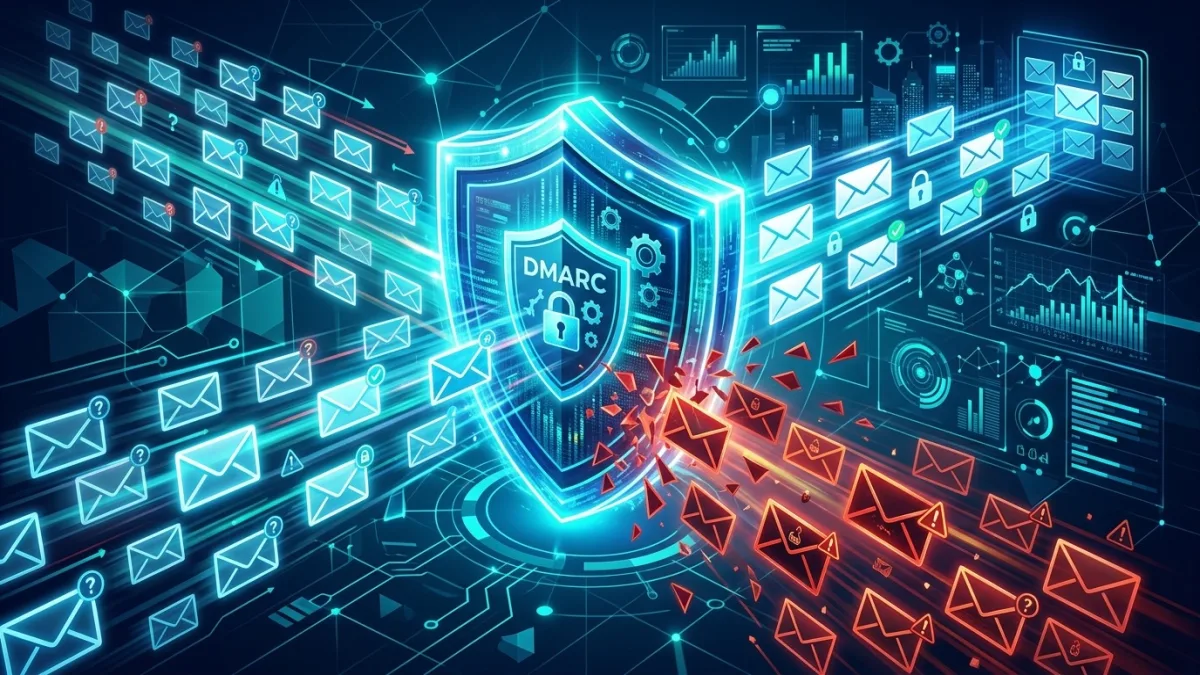
Email security for Canadian businesses requires three layers working together: authentication records (SPF, DKIM, DMARC) to stop spoofing, inbox filtering to block phishing links and malicious attachments before employees see them, and regular awareness training to catch the targeted attacks that bypass automated filters. For most SMBs the full stack costs CA$25–$50 per user per month — a fraction of the average CA$6.94 million breach cost for Canadian organizations reported in IBM's 2023 Cost of a Data Breach study.
What email security actually covers — and why spam filtering alone fails
Most business owners believe email security means the junk folder. It does not. A modern email security stack has four distinct layers, and most Canadian SMBs are missing at least two of them.
Layer 1 — Authentication: SPF, DKIM, and DMARC records published in your DNS. These prove to receiving mail servers that your domain is legitimate and tell them what to do with messages that fail verification. Without DMARC enforced at quarantine or reject policy, anyone on the internet can send email that appears to come from your domain — to your clients, your suppliers, and your bank — with no hacking required.
Layer 2 — Gateway filtering: Cloud-based inspection of every inbound and outbound message. Modern filters use machine learning to detect phishing links, malicious attachments (including password-protected ZIPs and macro-enabled Office documents), impersonation patterns, and spam. Microsoft's Exchange Online Protection processes over 1.4 billion messages per day and blocks roughly 99% of automated spam — but targeted Business Email Compromise attacks are carefully crafted to evade automated filters. That is exactly why layers 3 and 4 cannot be skipped.
Layer 3 — User awareness training: Simulated phishing campaigns and short micro-training modules that teach employees to recognize the specific lures used in Canada — CRA tax-refund scams, fake Microsoft and Bell password-reset pages, courier delivery notifications that install malware, and CEO fraud emails that request urgent wire transfers.
Layer 4 — Data loss prevention (DLP) and archiving: Rules that prevent sensitive documents — Social Insurance Numbers, financial statements, health records — from being emailed externally without authorization, combined with compliant archiving for PIPEDA breach-reporting obligations and Law 25 data-retention requirements in Quebec.
The Canadian Centre for Cyber Security (cyber.gc.ca) lists email security controls in its Baseline Cyber Security Controls for Small and Medium Organizations. CIRA's 2024 Cybersecurity Survey found that phishing was the most common attack type experienced by Canadian organizations for the fourth consecutive year, and that 46% of Canadian businesses with fewer than 50 employees have no formal email security policy in place.
Why Canadian SMBs are prime phishing targets
Phishing attacks against Canadian organizations have grown year-over-year since 2019, and small businesses now account for a disproportionate share of losses. Four structural factors explain why.
No dedicated IT staff: The majority of Canadian SMBs — defined by Statistics Canada as businesses with fewer than 100 employees — have no full-time IT person. Email security configuration is left to whoever set up Microsoft 365 or Google Workspace, typically without authentication records or filtering policies beyond the defaults. Default configurations protect against mass spam but leave significant gaps against targeted attacks.
CRA impersonation: The Canada Revenue Agency is the most impersonated Canadian institution in phishing campaigns. Every tax season — January through April — the volume of CRA-themed phishing emails spikes dramatically, offering fake refunds or threatening audits. The CRA explicitly states at canada.ca/cra-security that it never requests payment by gift card, cryptocurrency, or e-transfer — yet thousands of Canadians and Canadian businesses are defrauded through exactly these methods each year.
High Microsoft 365 and Google Workspace adoption: Because most Canadian businesses use one of these two platforms, attackers invest heavily in creating convincing fake login pages for both. A credential-harvesting email that looks like a legitimate Microsoft security alert — with correct branding and plausible URLs — routinely fools employees who have not been trained specifically on what to look for. Once credentials are harvested, attackers use them to compromise the mailbox and launch BEC attacks from inside the organization.
Trusted-brand exploitation: Attackers routinely impersonate Canada Post, Purolator, Bell Canada, Rogers, and Canada's major banks — RBC, TD, Scotiabank, BMO, CIBC. These are organizations your employees interact with regularly, which makes them highly effective lures. The Canadian Anti-Fraud Centre (cafc.ca) logged over 70,000 fraud reports in 2023, with phishing and spear phishing consistently among the top reported categories by volume and by dollar loss.
The consequences of a successful phishing attack in a Canadian context extend well beyond immediate financial loss. Under PIPEDA, any breach that poses a real risk of significant harm to individuals must be reported to the Office of the Privacy Commissioner of Canada (priv.gc.ca) and to affected individuals. That obligation triggers legal exposure, notification costs, and reputational damage that can outlast the original financial hit — particularly for professional services firms in Toronto, Vancouver, Calgary, and Montréal that depend on client trust.
SPF, DKIM, and DMARC: Canada's email authentication standards explained
These three DNS records are the non-negotiable foundation of every email security stack. Without all three working together at enforcement level, anyone can send email that appears to come from your domain. No hacking required — just a free mail server and your domain name.
SPF (Sender Policy Framework) is a TXT record in your DNS that lists which mail servers are authorized to send email using your domain name. A standard SPF record for a Microsoft 365 organization looks like: v=spf1 include:spf.protection.outlook.com -all. The -all directive means all other senders are explicitly rejected (hard fail). SPF checks the envelope sender — the technical address mail servers use — not the display name your employees see in their email client. That distinction matters: SPF alone does not stop display-name spoofing.
DKIM (DomainKeys Identified Mail) adds a cryptographic signature to every outbound message using a private key held by your mail server, paired with a public key published in your DNS. Receiving mail servers use the public key to verify that the signature is valid and that the message content was not altered in transit. DKIM also protects message integrity through mailing list forwarding, which is why signed emails maintain authentication even when routed through third-party relays.
DMARC (Domain-based Message Authentication, Reporting & Conformance) ties SPF and DKIM together and adds policy enforcement and visibility. It tells receiving servers what to do when a message fails both SPF and DKIM alignment checks: p=none (monitor only, take no action), p=quarantine (route failed messages to spam), or p=reject (block failed messages entirely). DMARC also provides aggregate reporting — XML reports sent automatically by Google, Microsoft, and major mail providers showing every server that attempts to send mail using your domain.
The correct progression for most Canadian businesses is: start with p=none plus a reporting address, review aggregate reports for two to four weeks to identify all legitimate mail-sending services (your newsletter platform, CRM, support ticketing system, payroll processor, e-commerce notifications), then advance to p=quarantine and finally p=reject. Jumping directly to reject without reviewing reports first is a common mistake that blocks legitimate mail from third-party services you forgot were sending on your behalf.
The Canadian Centre for Cyber Security explicitly recommends DMARC at the reject policy in its baseline controls. Government of Canada email domains were required to implement DMARC p=reject by 2019 under Treasury Board Secretariat directive. For private-sector Canadian organizations it remains best practice rather than a legal requirement — but that distinction carries less weight when your clients' banks are checking your DMARC policy before acting on invoice payment instructions that appear to come from your domain.
Business Email Compromise: Canada's most expensive email threat
Business Email Compromise is the category of targeted email fraud that costs Canadian organizations more money per incident than any other cybercrime. Unlike mass-distributed phishing that targets thousands of recipients simultaneously with low effort, BEC attacks are individually researched and crafted — which is precisely what makes them so devastating against businesses that believe their spam filter is adequate protection.
The Canadian Anti-Fraud Centre (CAFC) reported CA$51.9 million in losses to business email compromise in 2023. That figure represents only reported incidents; cybersecurity researchers consistently estimate that fewer than 10% of fraud losses are ever reported to Canadian authorities. The true national figure is substantially higher.
CEO fraud: An attacker registers a domain visually similar to yours — for example, yourcompany-ca.com or yourcompan-y.ca — and emails your CFO or accounts payable coordinator posing as the CEO. The message requests an urgent wire transfer to a new supplier account, often with a plausible cover story involving a confidential acquisition, a CRA audit requirement, or a time-sensitive contract. The urgency, combined with a credible sender display name, bypasses normal approval procedures. This variant is effective specifically because DMARC at reject policy on your legitimate domain does not block lookalike domains — only your domain.
Invoice fraud: An attacker compromises a supplier's email account directly (or spoofs their domain) and sends modified invoices with updated banking details. Payment goes to the attacker's controlled account rather than the legitimate supplier. This is especially common in construction, legal services, and real estate transactions in Canada, where large invoice amounts in the CA$50,000–$500,000 range are routine and suppliers frequently change banking arrangements.
Payroll diversion: An attacker poses as an employee — often by compromising that employee's personal email account, which HR staff have on file — and requests a change to direct-deposit banking information before the next payroll cycle. By the time the real employee notices they were not paid, funds have been transferred to the attacker's account and withdrawn. Payroll diversion attacks are particularly common in organizations using Ceridian Dayforce, ADP, or QuickBooks Payroll, where HR staff process banking-change requests by email.
DMARC at reject policy on your domain blocks spoofing of your own domain but does not block lookalike-domain attacks. Those require anti-impersonation rules in your email gateway — both Microsoft Defender for Office 365 and Google Workspace include these when properly configured. The single most effective BEC countermeasure independent of technology is a documented out-of-band verification policy: any financial request or banking-detail change received by email must be confirmed by a phone call to a number from the company directory, never from a number supplied in the email itself.
Anti-phishing and spam filtering: what to use and what to configure
Every major email platform includes some level of spam and malware filtering. The gap between platforms — and more critically, between default settings and properly-tuned settings — is large enough to change your exposure materially.
Microsoft 365 filtering tiers: Business Basic and Standard plans include Exchange Online Protection (EOP) — Microsoft's baseline anti-spam and anti-malware layer that handles commodity threats effectively. Business Premium adds Defender for Office 365 Plan 1, which brings Safe Links (URL rewriting that re-evaluates links at the moment of click rather than at message delivery), Safe Attachments (detonation-based sandbox analysis of suspicious files), anti-impersonation protection for specified high-value users, and configurable anti-phishing policies. For Canadian businesses handling client data — accountants, lawyers, healthcare providers, financial advisers — Business Premium is the minimum reasonable tier. Business Standard leaves significant protection gaps against sophisticated attacks.
Google Workspace filtering tiers: Business Starter and Standard include Gmail's baseline spam filtering and phishing detection, which is strong for commodity threats. Business Plus and Enterprise add enhanced pre-delivery message scanning, advanced phishing and malware controls accessible through the Admin Console, and improved external sender warnings. Google's Security Sandbox for attachment analysis is available from Enterprise Standard. For Canadian businesses on Google Workspace, Business Plus is the recommended minimum for comprehensive email security.
Third-party email security gateways: Tools like Proofpoint Essentials, Mimecast, and Barracuda Email Security sit upstream of Microsoft 365 or Google Workspace and add additional filtering layers with better catch rates on sophisticated, novel threats. Centralized policy management across multiple domains is simpler. These are worth evaluating for Canadian organizations in regulated sectors — legal, financial services, healthcare, insurance — where compliance documentation requirements and threat sophistication are both higher.
The configuration changes most often missed, regardless of platform: enabling anti-spoofing protection, enabling impersonation protection for key individuals (CEO, CFO, HR director, any individual authorized to initiate wire transfers), adding visible external sender banners on all messages arriving from outside the organization, and configuring quarantine notifications so end users can review and release held messages rather than having them silently dropped with no visibility.
Microsoft 365 vs Google Workspace: email security comparison
Both platforms offer solid email security when correctly licensed and configured. The meaningful differences come down to the depth of available configuration, attachment sandboxing availability by tier, built-in attack simulation training, and which platform your organization is already standardized on. Neither is decisively better in every dimension — your existing licenses often determine the right answer.
| Feature | M365 Business Premium (~CA$30/u/mo) | Google Workspace Business Plus (~CA$22/u/mo) |
|---|---|---|
| Anti-spam and anti-malware | ✅ Exchange Online Protection | ✅ Included |
| URL rewriting / Safe Links | ✅ Defender for Office 365 P1 | ⚠️ Enhanced mode (limited) |
| Attachment sandboxing | ✅ Safe Attachments (Defender P1) | ⚠️ Security Sandbox — Enterprise tier only |
| Anti-impersonation rules | ✅ Per-user and per-domain | ✅ Admin Console (all tiers) |
| External sender warnings | ✅ Configurable in Defender | ✅ Admin Console banner |
| DMARC/DKIM setup wizard | ✅ security.microsoft.com | ✅ Admin Console guided |
| Attack simulation / phishing training | ✅ Defender P2 add-on | ❌ Requires third-party tool |
| eDiscovery and legal hold | ✅ Microsoft Purview included | ⚠️ Google Vault (Business Plus) |
| Canadian data centre option | ✅ Available | ✅ Available |
For Quebec organizations subject to Law 25, data residency matters when email security scanning services process or store content outside Canada. Both platforms offer Canadian data centre selections, but configuration requires deliberate opt-in — it is not the default. See our detailed Law 25 compliance guide for the data-residency implications and the Privacy Impact Assessment requirements for cross-border data transfers.
Email security pricing for Canadian businesses (CA$, 2026)
Email security cost in Canada depends on your existing platform licenses, which additional controls you need, and whether you configure and manage it internally or through an IT service provider. The table below reflects current market pricing for a representative 25-user Canadian SMB.
| Component | Self-managed monthly cost | Managed by IT provider (all-in) |
|---|---|---|
| M365 Business Premium — 25 users | ~CA$750/mo | ~CA$750/mo + management fee |
| SPF/DKIM/DMARC audit and setup (one-time) | CA$0 (DIY) | CA$500–$1,500 |
| DMARC monitoring tool (annual) | CA$0–$120 (free tier available) | Included in management fee |
| Phishing simulation and training platform | CA$50–$150/mo | CA$75–$200/mo |
| Email security management fee (MSP) | — | CA$5–$15/user/mo |
| Total for 25-user Canadian SMB | ~CA$800–$900/mo | ~CA$1,100–$1,450/mo |
The fully managed cost works out to roughly CA$44–$58 per user per month. Compare that to the median direct loss in a Canadian BEC case investigated by the CAFC — over CA$40,000 — and email security is among the clearest positive-ROI investments a Canadian SMB can make. For broader IT cost context, see our guide on managed IT services pricing in Canada.
Step-by-step: deploying SPF, DKIM, DMARC, and anti-phishing for your business
This sequence applies to both Microsoft 365 and Google Workspace organizations. The full process takes two to four weeks when you respect the DMARC progression — which matters, because skipping ahead reliably causes legitimate mail to be blocked and creates a support fire that overshadows the security benefit.
- Inventory every email-sending service before touching DNS. List every system that sends email using your domain: your primary email platform (M365 or Google Workspace), your marketing automation tool (Mailchimp, HubSpot, Klaviyo, ActiveCampaign), your CRM, your customer support platform (Zendesk, Freshdesk), your e-commerce or booking system, your accounting or payroll software (QuickBooks, Sage, Ceridian), and any automated alerts from your own servers or cloud infrastructure. Missing a single service means it will start failing DMARC when you advance to enforcement — you will see apparent system failures that are actually configuration gaps.
- Publish your SPF record in DNS. In your DNS provider — GoDaddy, Cloudflare, Namecheap, or your Canadian domain registrar — create a single TXT record at the root of your domain. For Microsoft 365:
v=spf1 include:spf.protection.outlook.com -all. For Google Workspace:v=spf1 include:_spf.google.com -all. Add aninclude:entry for each third-party sending service from step 1. Important: SPF has a 10 DNS-lookup limit; if you exceed it, use an SPF flattening service to consolidate. Verify your published record at mxtoolbox.com/spf. - Enable DKIM signing and publish your public key in DNS. In Microsoft 365: go to the Microsoft Defender portal (security.microsoft.com) → Email & Collaboration → Policies & Rules → Threat Policies → Email Authentication Settings → DKIM. Enable DKIM for your domain. The portal generates two CNAME records for you to publish in your DNS. In Google Workspace: Admin Console → Apps → Google Workspace → Gmail → Authenticate email → Generate new record. Publish the resulting TXT record. Allow 15 minutes to 48 hours for DNS propagation. Verify with mxtoolbox.com/dkim.
- Deploy DMARC in monitoring mode (p=none). Publish a TXT record at
_dmarc.yourdomain.cawith this value:v=DMARC1; p=none; rua=mailto:dmarc-reports@yourdomain.ca; ruf=mailto:dmarc-forensic@yourdomain.ca; fo=1;. The rua address receives aggregate XML reports from major mail providers. Use dmarcian.com, Postmark's DMARC digest (free tier), or Google Postmaster Tools to parse the XML into readable dashboards. - Review DMARC aggregate reports for two to four weeks and fix all failures. Your reports will show every server sending mail as your domain. Legitimate services that are failing alignment need to be either added to your SPF record, configured to sign with your DKIM key, or migrated to a subdomain with its own dedicated authentication. Unauthorized servers — mail services you did not sanction — are the spoofing threats you deployed DMARC to find. Document them; some may be suppliers using your domain name inappropriately.
- Advance to DMARC p=quarantine, then p=reject. Once aggregate reports show all legitimate mail is passing, update your DMARC record to
p=quarantineand monitor for one more week. Then advance top=reject. Addsp=rejectto cover subdomains. At this point, your domain is protected against spoofing in receiving mail servers that honour DMARC (all major providers do). - Configure anti-phishing policies for your email platform. In Microsoft Defender: enable and tune your anti-phishing policy — add key users (CEO, CFO, HR director, AP coordinator) to the impersonation protection list, enable mailbox intelligence-based impersonation protection, set spoof intelligence to quarantine rather than move to junk, and enable external email warning banners. In Google Workspace Admin Console: enable enhanced pre-delivery message scanning, additional Google-identified external threats protection, anomalous attachment protection, and external sender warnings under Gmail Safety settings.
- Run a baseline phishing simulation and start a monthly campaign schedule. Before any training, run one unannounced simulated phishing campaign to measure your real baseline click rate. Use Microsoft Attack Simulator (included with Defender P2 or as an add-on), KnowBe4, or Proofpoint Security Awareness Training. The Canadian industry baseline click rate is 12–18%. Schedule monthly simulations, vary the lure types, and configure immediate micro-training for anyone who clicks. Track your rate monthly — most organizations reach below 5% within 9 to 12 months.
Phishing awareness training for Canadian employees: what actually works
Technology controls cannot stop Business Email Compromise or highly targeted spear phishing — the attacker's objective is to craft a message that clears all technical filters and manipulates a human into acting. Training is not optional; it is a required layer of your security stack. But poorly designed training programs produce false confidence without measurable behavior change — which is arguably worse than no training at all.
What does not work: Annual security awareness sessions delivered by a consultant or compliance-focused e-learning module. Employees retain very little from annual sessions, and the content is typically dated within months of delivery. Threat actors update their lures continuously — Canada Post scam templates change with every major retailer partnership announcement. A training module built on 2024 attack patterns delivers minimal protection against 2026 threats.
What does work: Monthly simulated phishing campaigns using templates that mirror current threats — CRA refund notices in February and March, fake Microsoft sign-in alerts year-round, Canada Post or Purolator delivery failures, Bell or Rogers billing notifications with embedded malware links. When an employee clicks, the immediate response is a clear, non-punitive explanation of exactly what gave the message away — not a scolding email from HR. That employee receives a three-to-five-minute micro-training module within 24 hours. This just-in-time model consistently reduces click rates by 60 to 80% within 12 months in organizations that run it faithfully.
Metrics to track monthly: Phishing click rate (industry average for Canadian SMBs without active programs: 12–18%), report rate (the percentage of employees who use a phishing-report button rather than deleting or ignoring suspicious messages), and time-to-report (how quickly suspicious messages are flagged after arrival). Your 12-month targets should be: click rate below 5%, report rate above 20%.
Canadian-specific training content should explicitly address CRA impersonation (the CRA sends notices by mail and My Business Account, never by email requesting immediate payment), fake Microsoft and Google login pages (teach employees to check the actual domain in the URL bar, not the display text), the company's callback policy for financial requests, and how to use the phishing-report button in Outlook or Gmail. In Quebec, run bilingual templates — French-language phishing attacks against Québec organizations are common and use different lures than English ones.
Training platforms worth evaluating: KnowBe4 (largest library of Canadian-localized templates, strong dashboard), Proofpoint Security Awareness Training (strong integration with Proofpoint email gateway), Microsoft Attack Simulator (strong value if already licensed for Defender P2), and Cofense PhishMe (strong at measuring report rates). For the full security posture picture, see our small business cybersecurity guide.
PIPEDA, Law 25, and email: your compliance obligations in Canada
Email security decisions have direct legal implications for Canadian businesses under federal and provincial privacy law. Understanding these obligations before an incident is significantly less expensive than discovering them afterward.
PIPEDA (Personal Information Protection and Electronic Documents Act) applies to private-sector organizations that collect, use, or disclose personal information in commercial activities. Under PIPEDA's safeguards principle, organizations must implement security measures appropriate to the sensitivity of the information — which explicitly includes email systems that transmit personal data. PIPEDA's mandatory breach-reporting provisions, in force since November 2018, require organizations to report to the Office of the Privacy Commissioner of Canada (priv.gc.ca) and notify affected individuals whenever a breach creates a real risk of significant harm. A successful phishing attack resulting in credential theft, account takeover, or data exfiltration through email typically triggers this obligation — which means your email security configuration is directly tied to your breach-reporting obligations.
Law 25 (Quebec's Act Respecting the Protection of Personal Information in the Private Sector) imposes additional requirements on organizations operating in Quebec. Law 25 requires a Privacy Impact Assessment (PIA / évaluation des facteurs relatifs à la vie privée) before transmitting personal information outside Quebec — meaning cloud-based email security scanning or archiving services that store data in US data centres may require an assessment unless Canadian data residency is specifically enabled. Law 25 also mandates: a confidentiality incident register for all breaches (not just reportable ones), mandatory notification to the Commission d'accès à l'information (CAI) within 72 hours of discovering a breach presenting a risk of serious injury, and privacy-by-design requirements for new IT system implementations. See our dedicated Law 25 compliance guide for a full breakdown of obligations and timelines.
CASL (Canada's Anti-Spam Legislation) governs commercial electronic messages sent to Canadians. While CASL is primarily a marketing compliance obligation, it has email authentication implications: organizations sending commercial email without proper DKIM signing and SPF alignment face higher rates of being blocked or spam-filtered by Canadian ISPs and business mail servers, which directly affects deliverability of legitimate sales and transactional communications. Maintaining consent records and proper unsubscribe mechanisms also requires reliable email archiving — connecting CASL compliance to your email security infrastructure.
Email security checklist for Canadian SMBs
Use this checklist to audit your current email security posture. Each item should be verifiable — not assumed based on what was configured when email was set up. Email environments drift as services are added and configurations change.
- SPF record published and verified — check at mxtoolbox.com/spf; confirm the record ends with
-all(hard fail), not~all(soft fail, lower protection) - DKIM enabled and signatures verified — test by sending a message to mail-tester.com or checking mxtoolbox.com/dkim with your selector
- DMARC record at p=quarantine or p=reject — p=none provides reporting only; it offers zero protection against spoofing
- DMARC subdomain policy set — confirm
sp=rejectis included to cover subdomains - DMARC aggregate reports reviewed at least monthly — new sending services added to your environment will break alignment if not caught
- Anti-phishing policy enabled with executive impersonation protection — CEO, CFO, HR director, any AP/wire-transfer-authorized staff
- Safe Links or URL rewriting active — links rewritten and evaluated at click-time, not at message delivery
- Attachment sandboxing enabled — Safe Attachments (M365) or equivalent
- External sender banners active — visible on all messages arriving from outside your organization
- Phishing simulation run within the last 90 days — current click rate documented
- Staff trained on CRA impersonation and out-of-band callback policy
- Callback policy documented and signed off by leadership — any financial request or banking-detail change by email requires phone confirmation to a known number
- Email archiving enabled with PIPEDA/Law 25-compliant retention period
- MFA enforced on all email accounts — see our Microsoft 365 security guide for configuration steps
- PIPEDA breach notification procedure documented — know exactly who calls priv.gc.ca and when, before you need to
Case study: Calgary accounting firm stops a CA$120,000 BEC attack
In March 2025, a 22-person accounting firm in Calgary — in the thick of tax season, processing high volumes of client correspondence and supplier invoices simultaneously — received an email that appeared to come from a senior partner currently travelling. The message instructed the accounts payable coordinator to expedite a CA$120,000 supplier payment to a new bank account, noting that the banking change was due to a merger the partner had mentioned previously in conversation.
The email passed the firm's basic spam filter without issue. The sender display name matched the partner's name exactly. The message tone and writing style were plausible — the attacker had spent time reviewing the partner's public LinkedIn profile and scraped the firm's website for supplier names. What stopped the attack was not a technical control. It was a documented policy, reinforced at a training session the previous November, requiring any banking-detail change request received by email to be confirmed by a direct phone call to the individual using a number from the internal directory — never from the email signature or a number the message itself provided.
The coordinator called the partner's cell number. The partner had sent no such email. The attacker had registered a lookalike domain — the firm name with a hyphen inserted — one week before the attempt and had been monitoring the partner's public travel announcements on LinkedIn to pick the right window.
After the incident, the firm engaged an IT provider to: deploy DMARC at the reject policy on their primary domain, configure anti-impersonation rules in Microsoft Defender for Office 365 that flagged any external email using a senior partner's display name, register the five most common lookalike domain variants and configure them as receive-only honeypots, and implement monthly phishing simulations for all staff. They also notified their cyber insurance carrier, which used the near-miss to expedite a full email security review as part of their renewal process.
The lesson is broadly applicable across Canadian professional services: BEC attacks specifically engineered to clear technical filters are stopped by policy and human judgment. Technical controls stop the attacks that would have succeeded against a well-trained employee. An email security program needs both layers operating simultaneously — neither is sufficient alone. For organizations that want professional services to handle the technical implementation, the backup and disaster recovery and email security stacks are often deployed together as part of a broader managed IT engagement.
Common email security mistakes Canadian SMBs make
These are the configuration gaps and policy failures that consistently precede successful email attacks in Canadian organizations — many of them organizations that believed they were adequately protected.
Stopping at SPF without progressing to DMARC enforcement. SPF alone is routinely bypassed through header-from spoofing, where the envelope sender passes SPF checks but the From: header visible to recipients still shows your legitimate domain. DMARC closes this gap by checking alignment between both addresses. Publishing DMARC at p=none — the monitoring-only mode — provides reports but zero protection. Organizations that have "checked the DMARC box" without advancing to quarantine or reject are no safer from spoofing than organizations with no DMARC at all.
Using Microsoft 365 Business Standard when Business Premium is needed. Business Standard does not include Defender for Office 365 Plan 1. Safe Links, Safe Attachments, and per-user anti-impersonation protection — the features that stop sophisticated phishing — require the Premium tier. The price difference is approximately CA$10 per user per month. For a 20-person organization, that is CA$200 per month in additional licensing cost against a median BEC loss that exceeds CA$40,000 per incident.
Treating phishing training as a one-time compliance activity. A single annual training session produces no measurable long-term behavior change. The research on security awareness is consistent: monthly simulated phishing with immediate feedback is the only format that produces sustained improvement. Quarterly or annual programs satisfy compliance checkboxes; they do not change employee behavior under the pressure of a realistic, well-crafted attack.
Skipping external sender warning banners. A banner at the top of every external email — "This message was sent from outside your organization" — meaningfully reduces the success rate of display-name impersonation attacks. Both Microsoft 365 and Google Workspace support this natively, it takes five minutes to configure, and it costs nothing beyond your existing license. It is consistently the highest-leverage, lowest-effort email security improvement available to most Canadian SMBs.
Neglecting subdomain coverage in DMARC. A DMARC record covering your root domain without an explicit subdomain policy (sp=reject) leaves subdomains unprotected. Attackers spoof mail.yourdomain.ca, invoices.yourdomain.ca, or payroll.yourdomain.ca specifically because organizations forget subdomains are a separate attack surface. Add sp=reject to your DMARC record immediately.
No documented incident response procedure for email account compromise. The first 60 minutes after discovering a compromised email account determine how much damage occurs. Without a documented procedure covering how to revoke access, where to look for unauthorized mail forwarding rules, how to check sent items for exfiltration, and when PIPEDA notification obligations kick in, organizations improvise under pressure and consistently make the situation worse. Email compromise should be a named scenario in your incident response plan.
Frequently asked questions
What is email security for a small business?
Email security for SMBs covers three layers: authentication (SPF, DKIM, DMARC records to stop spoofing), filtering (blocking phishing links, malicious attachments, and spam before they reach inboxes), and training (teaching staff to spot threats that do get through). All three are required — filtering alone stops roughly 99% of automated spam but misses targeted BEC attacks that require authentication and trained human judgment to catch.
What do SPF, DKIM, and DMARC mean for my business email?
SPF tells the internet which mail servers are authorized to send email on behalf of your domain. DKIM adds a cryptographic signature to every message so recipients can verify it was not tampered with. DMARC ties them together and tells receiving mail servers what to do when a message fails either check — quarantine it or reject it outright. All three are published as TXT records in your DNS and require no additional software.
How much does email security cost in Canada?
For most Canadian SMBs, the core stack — Microsoft 365 Business Premium or Google Workspace Business Plus, DMARC configuration, and monthly phishing simulation training — runs CA$25–$50 per user per month all-in. A one-time SPF/DKIM/DMARC setup and audit by an IT provider typically costs CA$500–$1,500 depending on how many third-party sending services need to be aligned.
What is Business Email Compromise and how do I prevent it?
BEC is a targeted fraud where attackers impersonate a CEO, supplier, or colleague to trick an employee into transferring money or sensitive data. The Canadian Anti-Fraud Centre reported CA$51.9 million in BEC losses in 2023. Prevention requires DMARC at reject policy (stops domain spoofing), impersonation-protection rules in your email gateway, and a documented callback policy requiring phone confirmation for any financial request received by email.
Does Microsoft 365 include email security?
Business Basic and Standard include Exchange Online Protection for basic spam and malware filtering. Anti-phishing policies, Safe Links (URL rewriting checked at click-time), Safe Attachments (sandboxed file analysis), and impersonation protection require Business Premium, which includes Defender for Office 365 Plan 1. Defender Plan 2 — available as an add-on — adds attack simulation training and automated investigation capabilities.
Is DMARC required for Canadian businesses?
DMARC is not yet legislatively mandated for Canada's private sector, but the Canadian Centre for Cyber Security (cyber.gc.ca) recommends DMARC at the reject policy for all Canadian organizations in its Baseline Cyber Security Controls. Government of Canada domains are required to implement DMARC p=reject. PIPEDA's reasonable safeguards requirement and increasingly strict cyber insurance underwriting standards are pushing DMARC at reject toward de-facto mandatory status for SMBs.
How do I know if my domain is being spoofed right now?
Publish a DMARC record in monitoring mode (p=none) with an rua reporting address. Within 24 to 72 hours, you will receive aggregate XML reports from Google, Microsoft, and major mail providers showing every server attempting to send mail as your domain. Free tools like MXToolbox (mxtoolbox.com) and dmarcian.com parse these reports into readable dashboards. You may be surprised how many unauthorized senders appear.
What should phishing awareness training include for Canadian employees?
Effective training covers: how to spot sender-name spoofing (the display name says your CEO but the actual domain is different), how to verify unexpected financial requests out-of-band by phone using a known directory number, the specific Canadian lures — CRA tax-refund phishing, Canada Post delivery scams, fake Microsoft and Bell login pages — and a clear internal reporting procedure. Monthly simulated phishing campaigns with immediate micro-training on clicks consistently outperform annual sessions.
Get a free email security review
Tell us your current setup — we will identify your SPF/DKIM/DMARC gaps, review your platform tier and filtering policies, and send back a prioritized action plan. No payment, no pressure.