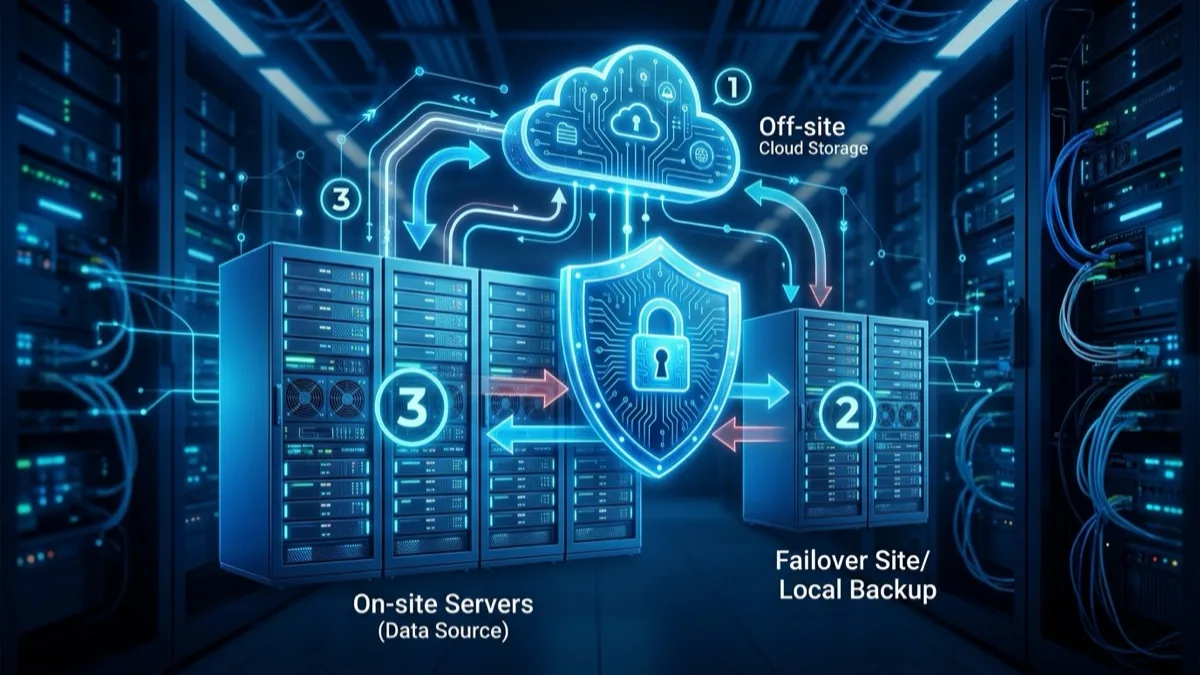
Disaster Recovery as a Service (DRaaS) is a managed cloud service that continuously replicates your servers and data to a secondary site and orchestrates failover, so your business keeps running through hardware failure, ransomware, fire, or flood. Unlike plain backup, DRaaS keeps a bootable standby copy you can spin up in minutes — typically with a recovery time objective (RTO) of 15 minutes to 2 hours and a recovery point objective (RPO) of seconds to 15 minutes. For Canadian SMBs it runs roughly CA$300–$6,000 per month depending on data volume and recovery tier, and replicas can be pinned to Canadian regions to satisfy PIPEDA and Quebec Law 25 data-residency expectations.
What Is Disaster Recovery as a Service (DRaaS)?
Disaster Recovery as a Service is a subscription model that delivers enterprise-grade failover capability without the cost of building and maintaining a second data centre. A DRaaS provider continuously replicates your production workloads — virtual machines, physical servers, databases, file shares — to a secondary environment in their cloud or colocation facility. When your primary site becomes unavailable, the provider's platform orchestrates a failover: the replicated systems boot in the recovery environment, networking is re-pointed, and your team logs back in to keep working. When the primary site is restored, an orchestrated failback returns operations home and re-syncs any changes made during the outage.
The word that matters in that description is orchestrated. Plenty of vendors will replicate your data; far fewer will guarantee that, on a bad morning, the right machines boot in the right order, talk to each other over the right network, and present a working application to your staff inside a defined number of minutes. That orchestration — boot sequencing, IP re-mapping, DNS updates, application-consistency checks — is the actual product. The data copy is the easy part.
For a Canadian SMB, DRaaS collapses three things that used to be separate and expensive into one monthly bill: the secondary hardware, the replication software, and the engineering expertise to run a recovery. You no longer lease rack space in a second city, buy a duplicate set of servers that sit idle 99.9% of the time, and keep a senior engineer on staff who knows how to invoke them. You rent that whole capability and pay for the standby compute only when you reserve it or actually fail over. That economic shift is why DRaaS has moved from a large-enterprise luxury to a realistic line item for a 20-person professional-services firm in London, Ontario or a 60-person manufacturer in Trois-Rivières.
DRaaS sits inside a broader resilience stack. It is not the same as backup, not the same as high availability, and not the same as a business continuity plan — though it works alongside all three. The rest of this guide draws those lines precisely, because confusing them is the single most common reason Canadian SMBs either overpay for capability they don't need or, far worse, discover during a real outage that the protection they bought doesn't do what they assumed.
DRaaS vs. Backup: Why They Are Not the Same Thing
This is the distinction that costs Canadian businesses the most money and the most downtime, so it is worth being blunt. Backup is about getting your data back. DRaaS is about staying in business. They solve different problems, and owning one does not give you the other.
A backup is a periodic copy of your data — nightly, hourly, sometimes more often — stored somewhere safe so you can restore it after something goes wrong. Restoring from backup means provisioning hardware (or a cloud instance), installing the operating system and applications, pulling the data down, and reconfiguring everything until the system works again. For a single file that takes minutes. For an entire failed server it takes hours. For a whole site hit by ransomware it routinely takes days — and you lose everything created since the last backup ran, which could be a full business day of orders, invoices, and client work.
DRaaS keeps a continuously updated, bootable standby copy of the actual running system. There is nothing to rebuild — the replica is already a configured server, kept seconds-to-minutes behind production. Failover boots it. That is the difference between an RTO measured in days and an RTO measured in minutes, and between an RPO of "last night's backup" and an RPO of "the last few seconds." The two technologies are complementary: backup gives you deep retention and granular file-level recovery and a cheap long-term archive; DRaaS gives you speed and continuity. Mature Canadian SMBs run both — DRaaS for the handful of systems the business cannot operate without, backup for everything, including the long retention that compliance and history require.
| Factor | Traditional backup | DRaaS |
|---|---|---|
| Primary purpose | Recover data after loss | Keep operating through an outage |
| Typical RTO | Hours to days | Minutes to ~2 hours |
| Typical RPO | Last backup (hours) | Seconds to 15 minutes |
| Recovery state | Rebuild required | Bootable standby, ready |
| Long-term retention | Strong (months/years) | Short (recent checkpoints) |
| Relative monthly cost | Lower | Higher (standby compute) |
| Best for | Everything; deep archive | Mission-critical systems |
If you take one thing from this section: do not let a vendor sell you "cloud backup" and call it disaster recovery. Ask the direct question — "In a total site loss, how many minutes until my staff are working again, and how much data will we lose?" If the honest answer is measured in hours or days, you have backup, not DRaaS, regardless of what the invoice says.
RTO and RPO: The Two Numbers That Define Your Recovery
Every disaster recovery decision reduces to two metrics. Get these right and the rest of the design follows; get them wrong and you either overspend on protection you don't need or underspend on protection that fails you when it matters.
Recovery Time Objective (RTO) is the maximum acceptable length of time a system can be down before the impact becomes unacceptable to the business. It answers the question: "How long can we be offline?" If your order-entry system goes down, how many minutes or hours pass before lost revenue, missed SLAs, and reputational damage cross the line? That line is your RTO.
Recovery Point Objective (RPO) is the maximum acceptable amount of data loss, measured in time. It answers: "How much work can we afford to lose?" An RPO of 15 minutes means that, in the worst case, you would lose up to the last 15 minutes of transactions and have to recreate them. An RPO of 24 hours means you could lose a full day of work — which for a transactional business is often catastrophic, even though the data eventually "comes back."
These two numbers are not chosen by IT — they are business decisions that IT then engineers toward. The right way to set them is a business impact analysis: list each critical application, estimate the cost of downtime per hour and the cost of lost data, and let the dollar figures dictate the targets. A law firm's document management system might justify a 1-hour RTO and a 15-minute RPO; the same firm's internal wiki might tolerate a 24-hour RTO and a 24-hour RPO. Spending DRaaS money on the wiki is waste; spending only backup money on the document system is negligence.
| Tier | RTO | RPO | Fit / technology |
|---|---|---|---|
| Tier 0 — Mission-critical | < 15 min | Seconds | Continuous-replication DRaaS / HA |
| Tier 1 — Critical | 15 min – 2 hr | Sec – 15 min | Standard DRaaS |
| Tier 2 — Important | 2 – 8 hr | 1 – 4 hr | Warm replica / snapshot DRaaS |
| Tier 3 — Standard | 8 – 48 hr | 12 – 24 hr | Cloud backup restore |
A well-designed DRaaS engagement assigns every workload to a tier. Tiering is what keeps the bill rational: you pay Tier 0/1 prices only for the systems that genuinely warrant them, and let everything else fall to cheaper backup. For the methodology behind setting these targets across your whole organization, see our business continuity plan guide, which walks through the business impact analysis step by step.
How DRaaS Works: Replication, Failover, and Failback
Under the marketing, every DRaaS platform does the same three things. Understanding the mechanics lets you ask sharp questions and spot a weak provider.
1. Continuous replication. A lightweight agent (or a hypervisor-level integration) captures every write your production systems make and streams the changes to the recovery environment in near-real time. The best platforms use journal-based, asynchronous, block-level replication: every disk change is recorded to a journal that retains many recovery points, so you can fail over not just to "now" but to any moment in the recent past — five minutes ago, an hour ago, just before the ransomware encrypted your files. This journaling is what makes DRaaS a ransomware defence, not just a hardware-failure defence.
2. Orchestrated failover. When you invoke DR — manually on a declared disaster, or automatically on detected failure — the platform boots the replicated machines in the recovery cloud in a defined sequence (domain controllers and databases first, then application servers, then front-ends), re-maps networking, updates DNS, and runs validation checks. A "recovery plan" or "runbook" encodes all of this in advance so the failover is one orchestrated action rather than a frantic manual scramble. Good platforms let you boot into a fully isolated network for testing without affecting production.
3. Failback. Once your primary site is repaired, the platform reverses the flow: it replicates the changes accumulated in the recovery environment back to the restored primary, then cuts operations home during a planned window with minimal data loss. Failback is the step amateur providers forget to rehearse — and a failover you can't cleanly reverse leaves you stranded on rented recovery infrastructure paying premium rates indefinitely. Ask any prospective provider to walk you through their failback process before you sign.
There are three broad architectural patterns you will encounter, and the right one depends on your RTO/RPO tiers and budget:
- Cold standby: Data is replicated but recovery machines are not pre-provisioned — they spin up on demand at failover. Cheapest; RTO measured in a couple of hours. Suits Tier 2 systems.
- Warm standby: Recovery machines exist in a powered-off or minimally-sized state and scale up at failover. Balanced cost and speed; RTO in the tens of minutes. The common SMB default.
- Hot standby: Recovery machines run continuously, fully sized, ready to take traffic instantly. Most expensive; RTO in minutes or seconds. Reserved for Tier 0 systems where any downtime is intolerable.
Canadian Data Residency: Keeping Replicas in Canada
Where your replicated data physically lives is not a technical footnote — for Canadian organizations it is a compliance and contractual question that should be settled before any other design decision. The moment you replicate to DRaaS, you are creating a second, continuously-updated copy of your data (often including personal information) somewhere. Where that "somewhere" is determines which laws apply and which clients will keep doing business with you.
PIPEDA and cross-border transfers. The federal Personal Information Protection and Electronic Documents Act does not outright prohibit storing personal information outside Canada, but it holds you accountable for it. If your DRaaS replica sits in a US region, that data becomes subject to US law — including the CLOUD Act, under which US authorities can compel a US provider to produce data regardless of where it is stored. The Office of the Privacy Commissioner expects organizations to disclose cross-border transfers and to ensure comparable protection through contract. The cleanest way to discharge that obligation is simple: keep the replica in Canada.
Quebec Law 25 and the disclosure-outside-Quebec assessment. For organizations subject to Quebec's Law 25, communicating personal information outside the province triggers a mandatory assessment of the privacy-protection factors in the receiving jurisdiction, and the transfer must be the subject of a written agreement. Replicating to a US or offshore DRaaS region squarely engages this requirement and adds documentation burden, regulatory risk, and exposure to penalties of up to 4% of worldwide turnover. Pinning DRaaS to a Canadian region — ideally a Quebec one — sidesteps the analysis almost entirely. Our Law 25 compliance guide covers the cross-border assessment in full.
The practical good news: Canadian DR regions are widely available and you should insist on them. Microsoft Azure operates Canada Central (Toronto) and Canada East (Quebec City); AWS operates the Canada (Central) region in Montreal and Canada West (Calgary); Google Cloud has Montréal and Toronto regions; and numerous Canadian-owned providers and colocation facilities offer DRaaS entirely within the country. There is no longer any cost or capability penalty for keeping recovery in Canada — so the only reason a provider would default you to a US region is convenience, theirs not yours. Make Canadian residency an explicit, written term of the contract, covering both the steady-state replica and the failover compute, since some platforms quietly fail over to a different region than they replicate to.
- Confirm in writing the exact region(s) for both replication storage and failover compute.
- Require notice and consent before any region change or provider sub-processing.
- Ask whether metadata, logs, and management-plane data also stay in Canada (often they don't by default).
- Verify encryption in transit and at rest, and that you control or can audit the keys.
- Get the data-processing agreement and the cross-border terms reviewed against PIPEDA and, if applicable, Law 25.
DRaaS and Ransomware: Recovering to a Clean Point
Ransomware has rewritten the disaster recovery brief. A decade ago, "disaster" meant a failed disk, a flood, or a fire — discrete physical events. Today the most likely disaster a Canadian SMB will face is a deliberate, intelligent adversary who specifically targets your recovery capability, because a victim who can restore doesn't pay the ransom. The Canadian Centre for Cyber Security has repeatedly named ransomware the most disruptive cyber threat to Canadian organizations, and small businesses absorb a disproportionate share of incidents.
Naive replication is a trap here: if you replicate continuously and the platform only keeps the latest state, then the moment ransomware encrypts your production files, the platform faithfully replicates the encrypted files to your recovery copy. You have perfectly mirrored your own disaster. DRaaS defends against this in two ways, and you must confirm both are configured:
- Multiple, granular recovery points. Journal-based DRaaS retains many points in time — often every few seconds over a window of hours to days. When ransomware detonates, you fail over to a checkpoint from before the encryption began, losing minutes of legitimate work instead of everything. This per-second rewind is the single most valuable property of good DRaaS in a ransomware world.
- Immutability and isolation. Recovery points should be immutable — written once, unchangeable and undeletable for their retention period, so the attacker cannot encrypt or delete your DR copies even if they compromise your admin credentials. The recovery environment should also be network-isolated from production, so lateral movement from your compromised network cannot reach the replicas. Ask specifically: "Are recovery points immutable, and can a domain-admin compromise in production delete or encrypt them?" The right answer is no.
There is one more discipline ransomware demands: isolated recovery testing with malware scanning. Before you fail a "clean" recovery point back into production, you boot it in the isolated test bubble and scan it, because attackers often dwell in an environment for weeks before detonating — your chosen recovery point may already contain the dormant payload. Pairing DRaaS with strong endpoint protection and a tested incident-response plan turns recovery from a hope into a procedure. See our business data backup guide for how immutable backups and DRaaS reinforce each other in a layered defence.
Testing Your DRaaS: The Part Everyone Skips
A disaster recovery plan that has never been tested is not a capability — it is an assumption, and assumptions fail at the worst possible moment. The uncomfortable industry truth is that most failed recoveries are not caused by missing technology; they are caused by a plan nobody exercised. Replication was silently broken for weeks. The runbook referenced a server that was decommissioned. The one person who knew the failover procedure had left the company. A firewall rule blocked the recovery network. None of these are exotic — all are routine, and all are caught by testing and only by testing.
The great advantage of modern DRaaS over old-fashioned DR is that testing is non-disruptive. A good platform boots your replicated systems into an isolated, sandboxed network — a parallel universe that looks like production but touches nothing real. You log in, open the applications, run transactions, confirm the databases are consistent, and measure how long the whole thing actually took against your RTO target. Production never notices. There is no excuse not to test, because testing no longer means risking an outage to prove you can recover from one.
A disciplined Canadian SMB testing cadence looks like this:
- Continuous: Automated monitoring of replication health, with alerts when any workload falls behind its RPO. A silent replication failure is the classic invisible killer — insist on active alerting, not a dashboard nobody checks.
- Quarterly: A non-disruptive test failover of your Tier 0/1 systems into the isolated bubble, with documented validation that each application actually works and a recorded actual-RTO measurement.
- Twice yearly: A broader test covering more workloads, plus a tabletop walkthrough of the human side — who declares the disaster, who invokes failover, who communicates with staff and clients, who handles the regulator.
- After every major change: New server, new application, network redesign, M365 migration — any of these can quietly break a runbook. Re-test after the change, not after the disaster.
- Annually: A full failover-and-failback exercise, ideally with a planned production cutover, to prove the entire round trip works end to end.
Every test should produce a short written record: date, scope, measured RTO/RPO versus target, what broke, and what was fixed. That record is also your evidence — for cyber insurers who increasingly ask for proof of tested recovery, and for clients whose vendor questionnaires demand it. A folder of dated, signed test results is one of the most persuasive trust signals a Canadian SMB can show an enterprise customer.
DRaaS Pricing in Canada — What to Budget in 2026
DRaaS pricing is more variable than backup pricing because you are buying recovery speed, not just storage, and speed is driven by how much standby compute the provider holds ready for you. The main cost drivers are: the volume of protected data, the number of replicated workloads, the recovery tier (cold/warm/hot standby), the RTO/RPO targets, and how long you would actually run on the recovery infrastructure during a real event. Watch for failover-runtime fees — some providers bill the standby compute at a premium hourly rate the moment you invoke DR, which is reasonable but must be understood before, not during, a crisis.
| Environment | Typical scope | CA$ / month |
|---|---|---|
| Micro SMB | 1–3 critical servers, < 1 TB | $300–$800 |
| Small business | 4–8 servers, 1–5 TB | $800–$2,000 |
| Mid-market | 8–25 servers, 5–20 TB | $2,000–$6,000 |
| Per-server add-on (warm) | Additional protected VM | $60–$200 each |
| Onboarding / setup | One-time design + runbook build | $1,500–$6,000 |
| Failover runtime (during DR) | Standby compute while live | $5–$40 / server / day |
Put these numbers next to the cost of not having DRaaS. Independent surveys consistently place the cost of IT downtime for small and mid-sized businesses in the thousands of dollars per hour once you count lost revenue, idle payroll, missed commitments, and recovery labour — and that is before reputational damage or a missed client deadline. A CA$1,200/month DRaaS subscription is roughly CA$14,400 a year; a single avoided day of full downtime, or one ransomware event recovered without paying, typically pays for several years of the subscription. DRaaS is not an IT expense, it is downtime insurance with a measurable premium.
For a full breakdown of how DR costs sit alongside backup and broader managed IT, compare our managed IT cost guide for 2026 and the wider backup and disaster recovery services overview, which sets DRaaS in the context of a complete protection budget.
Step-by-Step: Onboarding a DRaaS Engagement
A DRaaS deployment for a Canadian SMB is a structured project, not a flick of a switch. Here is how a well-run onboarding unfolds over roughly four to six weeks:
- Business impact analysis (Week 1). Catalogue applications and data, estimate downtime and data-loss costs, and assign every workload to a recovery tier with explicit RTO/RPO targets. This is the foundation; skipping it produces either an overpriced or an under-protected design.
- Architecture and residency design (Week 1–2). Choose the replication technology, the standby pattern (cold/warm/hot) per tier, and — critically — the Canadian region(s) for both replica storage and failover compute. Lock data residency into the contract here.
- Agent deployment and seeding (Week 2–3). Install replication agents or enable hypervisor integration, then perform the initial "seed" replication of the full data set. For large data volumes this may use a seeded appliance to avoid saturating your internet link, then switch to incremental change replication.
- Runbook construction (Week 3–4). Encode the failover sequence: boot order, network re-mapping, DNS, dependencies, and post-boot validation checks. Document who declares a disaster and who invokes failover. The runbook is the product — invest in it.
- First test failover (Week 4–5). Boot the replicas into an isolated network and validate every Tier 0/1 application end to end. Measure actual RTO/RPO against target. Fix gaps and re-test until the numbers hold.
- Go-live and monitoring (Week 5–6). Enable continuous replication-health alerting tied to RPO thresholds, schedule the recurring test calendar, and hand over a documented recovery plan the business actually understands.
- Ongoing reviews (quarterly). Re-tier as the business changes, re-test after major changes, and produce dated test records for insurers and clients.
How to Evaluate a Canadian DRaaS Provider — Checklist
DRaaS providers are not interchangeable. Use this checklist to separate a genuine recovery partner from a backup reseller in a DR costume. Demand specific, written answers — vague reassurance is a red flag.
- Contractual RTO/RPO: Are the recovery targets written into the SLA with remedies, or merely promised in a sales call?
- Canadian data residency: Is the region for both replica and failover compute named in the contract, with change-notice terms?
- Granular recovery points: How many points in time, over what window? Per-second journaling beats once-a-day snapshots for ransomware.
- Immutability: Are recovery points immutable and protected against deletion even by a compromised admin account?
- Non-disruptive testing: Can you run isolated test failovers on demand, and how often is testing included in the price?
- Failback proven: Can they walk you through a clean failback, and is it included or billed separately?
- Orchestration depth: Does the runbook handle boot order, networking, and dependencies, or is failover a manual scramble?
- Managed vs. self-service: Will the provider declare and run the failover for you at 3 a.m., or are you on your own with a portal?
- Bandwidth and seeding: How is the initial seed handled, and will ongoing replication fit your internet link?
- References and test evidence: Can they show (redacted) test reports and provide Canadian SMB references in your sector?
A vendor-neutral advisor is valuable precisely here: someone who earns nothing from the platform you choose will press these questions harder than a reseller will. Organizations that want the design, the runbook, and a partner who will actually run the failover during a real Canadian-hours emergency can pair this strategy with hands-on execution from IT Cares, a Canadian managed-services team that handles live failover and on-site recovery when a primary site goes down — turning the plan on this page into a tested, operated capability rather than a binder on a shelf.
Common DRaaS Mistakes Canadian SMBs Make
Buying DRaaS and never testing it. The most expensive mistake of all. An untested DRaaS subscription is a monthly payment for a capability you have no evidence works. Test quarterly, or you are buying peace of mind, not recovery.
Protecting everything at Tier 0. The opposite error — replicating every server at hot-standby cost when most could tolerate a few hours of downtime. Tiering ruthlessly is what makes DRaaS affordable; resist the urge to gold-plate.
Ignoring data residency until a client asks. Discovering during a security questionnaire that your replicas live in a US region — and then scrambling to re-architect — is avoidable. Decide residency on day one and write it into the contract.
Confusing replication with recovery. Replicating data is necessary but not sufficient. Without orchestration, a tested runbook, and a rehearsed human procedure, you have copied your data to a place you don't know how to start it from. Buy the orchestration, not just the copy.
Forgetting the people and the comms. Technology fails over in minutes; confused humans take hours. Decide in advance who declares a disaster, who pushes the button, who tells staff and clients what is happening, and who handles any regulator notification. Rehearse it in a tabletop.
No failback plan. Failing over is half the job. If you cannot cleanly return to your primary site, you are stranded on premium recovery infrastructure indefinitely. Prove failback before you ever need failover.
Case Study: Anonymized Logistics Firm, Hamilton (2025)
The following is a composite case study based on a typical engagement profile for a Canadian mid-market business. Identifying details have been changed.
The client: A 45-person freight and warehousing company in Hamilton, Ontario, running an on-premise warehouse management system, an ERP database, a file server, and Active Directory across two physical servers in a back-office closet. Annual revenue approximately CA$11M. Every hour the WMS is down, trucks queue and customers escalate — internal estimate of downtime cost was CA$4,800/hour. Prior protection: nightly backup to a NAS in the same building. No tested recovery.
The trigger: A failed air-conditioning unit cooked both servers over a long weekend. Restoring the WMS from the nightly NAS backup onto replacement hardware took 31 hours and lost a full day of inbound scan data that had to be re-keyed manually. The board approved a DRaaS project the following week.
The engagement: A business impact analysis tiered the WMS and ERP database as Tier 1 (RTO 1 hour, RPO 15 minutes) and the file server and AD as Tier 2. Continuous, journal-based DRaaS was deployed with warm standby replicas pinned to Azure Canada Central in Toronto — explicitly in-Canada for the personal information in the ERP. Monthly cost: CA$1,450. One-time onboarding and runbook build: CA$3,800.
The proof: Eleven weeks after go-live, a ransomware email compromised a dispatcher's workstation and began encrypting the file server overnight. Replication-health alerting and the firm's endpoint tooling caught the anomaly. The team declared a disaster, failed the file server and WMS over to a journal recovery point timestamped 40 minutes before the first encryption event, and had staff working in the Toronto recovery environment inside 50 minutes — under the 1-hour RTO. Actual data loss: roughly 12 minutes of scans. The primary environment was rebuilt clean over the following days and failed back during a planned Sunday window. No ransom was paid; total business interruption was under one hour versus the 31 hours of the earlier hardware failure.
The lesson Canadian SMBs draw from this is not that disasters are rare — it is that the difference between a 31-hour catastrophe and a 50-minute inconvenience is a tested DRaaS design that costs less per month than a single hour of the downtime it prevents.
Where DRaaS Fits in Your Resilience Stack
DRaaS is one layer, and it works best when the layers around it are in place. Think of resilience as four reinforcing tiers: backup gives you deep retention and granular recovery for everything; DRaaS gives you fast failover for the mission-critical few; high availability (clustering, redundant hardware) prevents some failures from ever becoming outages; and a business continuity plan wraps the whole thing in the human procedures, communications, and alternate-operating arrangements that technology alone cannot provide.
A common and sensible Canadian SMB design is: immutable cloud backup for all data and long retention; DRaaS for the two or three systems the business cannot operate without; and a written, tested continuity plan that ties them together and assigns the human roles. Layering this way means you are not over-paying to protect low-value systems at high-value speeds, and you are not exposed on the systems that actually run the business. For the planning frame that sits above DRaaS, see our business continuity plan guide; for the data-protection layer beneath it, see the business data backup guide; and for the complete picture, the backup and disaster recovery services overview.
Related Guides
- Backup & Disaster Recovery Services Canada →
- Business Data Backup & Disaster Recovery Guide →
- Business Continuity Plan for Canadian SMBs →
- Managed IT Services Canada →
- Managed IT Cost in Canada (2026) →
- Quebec Law 25 Compliance Guide →
Frequently Asked Questions
What is Disaster Recovery as a Service (DRaaS)?
DRaaS is a managed cloud service that continuously replicates your servers, applications, and data to a provider's secondary site, then orchestrates failover so you can keep operating when your primary environment goes down. Unlike plain backup, DRaaS keeps a near-live, bootable standby copy you can spin up in minutes, with defined RTO and RPO targets backed by a contract. It collapses the cost of a second data centre, replication software, and recovery engineering into one monthly subscription.
What is the difference between DRaaS and backup?
Backup makes periodic copies you restore from after an outage — recovery can take hours or days and you lose everything since the last backup ran. DRaaS continuously replicates and keeps a bootable standby system in the cloud, so failover happens in minutes with only seconds-to-minutes of data loss. Backup answers "can we get the data back"; DRaaS answers "can we keep operating." Most mature Canadian SMBs run both: backup for deep retention on everything, DRaaS for the mission-critical systems the business cannot run without.
What RTO and RPO can DRaaS deliver?
Continuous-replication DRaaS for Canadian SMBs typically delivers an RTO (recovery time objective) of 15 minutes to 2 hours and an RPO (recovery point objective) of seconds to 15 minutes, depending on bandwidth, the replication technology, and the standby pattern (cold, warm, or hot). The exact targets should be set per application through a business impact analysis and written into the service contract with remedies — not left as a verbal sales promise.
How much does DRaaS cost in Canada?
For a Canadian SMB, DRaaS typically runs CA$300–$1,500 per month for a small environment of a few critical servers, and CA$1,500–$6,000 per month for a larger or multi-site environment. Pricing is driven by the volume of protected data, the number of replicated workloads, the recovery tier, and how much standby compute you reserve. Expect a one-time onboarding and runbook-build fee of CA$1,500–$6,000, and check whether failover runtime is billed separately during an actual disaster.
Is DRaaS data kept in Canada?
It can be, and for most Canadian SMBs it should be. Reputable providers let you pin both replication storage and failover compute to Canadian regions — for example Azure Canada Central (Toronto) or Canada East (Quebec City), AWS Canada (Central) in Montreal, or a Canadian colocation facility. Keeping replicas in Canada simplifies PIPEDA accountability and avoids the cross-border transfer assessment Quebec's Law 25 requires. Make Canadian residency an explicit, written contract term covering replica, failover compute, logs, and management data.
How often should DRaaS failover be tested?
Test at least twice a year, ideally quarterly for Tier 0/1 systems, and after any major change to your environment. A good DRaaS platform supports non-disruptive test failovers into an isolated network bubble, so you can boot the standby systems and validate applications without touching production. Every test should produce a dated record of measured RTO/RPO versus target — useful evidence for cyber insurers and client questionnaires. An untested DR plan is an assumption, not a capability.
Does DRaaS protect against ransomware?
Yes, when configured for it. DRaaS that keeps multiple immutable, journal-based recovery points lets you fail over to a known-clean moment before the ransomware detonated, rather than replicating the encrypted files. The essentials are granular point-in-time retention (per-second journaling), immutability so a compromised admin account cannot delete recovery points, and network isolation of the replica environment. Always boot and scan a recovery point in an isolated bubble before failing it back, since attackers may have dwelled in the environment for weeks.
What is the difference between DRaaS and a hot site?
A traditional hot site is a physical secondary data centre you build, equip, and maintain yourself — capital-intensive and slow to provision. DRaaS delivers the same near-instant failover capability as a subscription on the provider's cloud, with no hardware to buy and standby capacity you pay for only when you reserve or invoke it. That subscription economics is what makes enterprise-grade recovery affordable for a Canadian SMB that could never justify a second data centre.
Get your free DR readiness plan
Tell us what systems you run and how long you can afford to be down. We send back a clear, no-pressure DRaaS readiness plan — with suggested RTO/RPO tiers and a CA$ estimate — within one business day. No payment required.