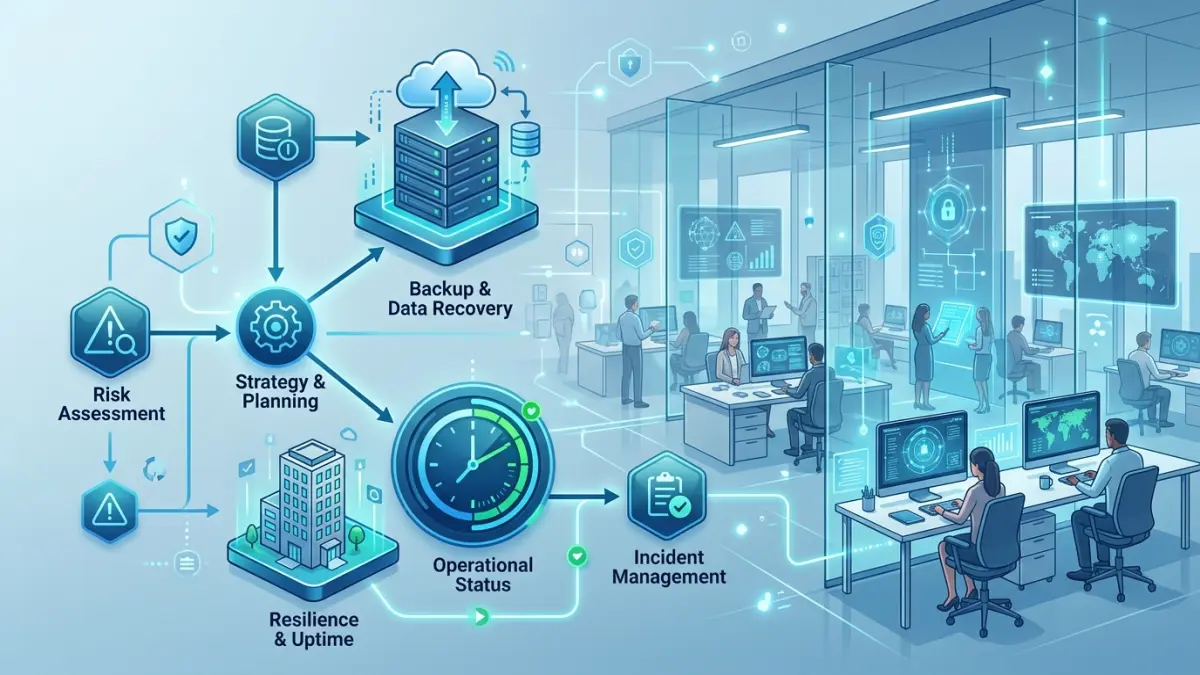
A business continuity plan (BCP) is a documented playbook that keeps your critical functions running — or restores them fast — after a cyberattack, fire, flood, supplier failure, or outage. Build it in five steps: run a business impact analysis to find what matters most, set an RTO and RPO for each critical function, choose a recovery strategy, document the plan with clear roles and contacts, and test it at least annually. For a 15-to-50-person Canadian SMB, a facilitated plan typically costs CA$4,000–$12,000, or roughly 40–80 hours of internal effort. The single biggest failure point is an untested backup.
What Is a Business Continuity Plan?
A business continuity plan is a documented, rehearsed set of procedures that allows an organization to continue delivering its most important products and services — or to restore them within an acceptable timeframe — after a disruptive event. The disruption could be a ransomware attack that encrypts every file, a burst pipe that floods a server room, a multi-day power outage during a Prairie ice storm, the sudden insolvency of a sole supplier, or the loss of a key employee who was the only person who knew how a critical process worked. A BCP is the difference between an organized, role-by-role response and a frantic improvisation that costs days of revenue and, in the worst cases, the business itself.
It is important to understand what a BCP is not. It is not solely an IT document, and it is not the same thing as a backup. A backup is a copy of your data; a disaster recovery plan describes how to restore your technology; a business continuity plan describes how the whole organization keeps functioning — people, premises, processes, suppliers, cash flow, and customer communication — while the technology is being recovered. Many Canadian SMBs believe they have continuity covered because their managed IT provider takes nightly backups. That is necessary but nowhere near sufficient. If your office is inaccessible, your phone system is down, your staff don't know where to go or what to do, and your customers are receiving no communication, then your business has stopped — regardless of how good your backups are.
The statistics that motivate continuity planning are sobering for small businesses specifically. Public Safety Canada and provincial emergency-management agencies repeatedly note that a large share of small businesses that suffer a major data-loss or extended-outage event without a recovery plan never fully reopen. The Canadian Centre for Cyber Security (CCCS) reports ransomware as the most disruptive threat facing Canadian organizations, and small businesses are over-represented in incident counts precisely because they lack tested recovery capability. The IBM Cost of a Data Breach report puts the average Canadian breach in the multi-million-dollar range, with a substantial portion of that cost coming from business disruption and lost productivity rather than the technical remediation itself. A continuity plan is, in financial terms, a way to compress that disruption window — and the disruption window is where most of the money is lost.
A good BCP is also increasingly a commercial requirement rather than a nice-to-have. Cyber insurance underwriters now ask for a documented and tested continuity and recovery plan before issuing or renewing a policy. Enterprise customers send vendor-risk questionnaires that demand evidence of business continuity management before they will sign a contract. And regulators — through PIPEDA's safeguards requirement, Quebec's Law 25, and OSFI's expectations for federally regulated financial institutions — increasingly expect organizations to demonstrate that they can respond to and recover from disruptions affecting personal data. The plan you build for resilience doubles as the evidence package that wins contracts and lowers premiums.
BCP vs. Disaster Recovery vs. Incident Response — Untangling the Terms
Three terms get used interchangeably and shouldn't be, because they describe three different — though overlapping — disciplines. Getting the vocabulary right matters: insurers, auditors, and enterprise customers ask about each by name, and confusing them in a questionnaire signals to a sophisticated counterparty that your program is immature.
Business continuity plan (BCP) is the broadest. It answers the question: how does the entire organization keep operating, or resume operating, after any disruption? It covers alternate work locations, manual workarounds, supplier substitution, payroll continuity, customer and staff communication, and the order in which functions are restored. The BCP owns the business outcome.
Disaster recovery plan (DRP) is the technical subset of continuity. It answers: how do we restore IT systems, applications, and data? It covers backups, replication, failover, recovery sequencing, and the step-by-step runbooks an IT technician follows to bring systems back online. Every BCP contains DR; DR by itself is not a BCP. Our backup and disaster recovery guide covers the technical DR layer in depth.
Incident response plan (IRP) is focused on the security event itself. It answers: how do we detect, contain, eradicate, and report a cyber incident? It covers triage, forensics, legal and regulatory notification (the OPC under PIPEDA, the CAI under Law 25), and evidence preservation. The IRP runs in the first hours of a breach; the BCP runs in parallel and continues for as long as operations are impaired. See our incident response plan guide for that layer.
| Dimension | Business continuity (BCP) | Disaster recovery (DRP) | Incident response (IRP) |
|---|---|---|---|
| Scope | Whole business operation | IT systems & data | The security event |
| Core question | How do we keep operating? | How do we restore systems? | How do we contain & report? |
| Owner | Owner / operations lead | IT lead / MSP | Security lead / IRP team |
| Key metric | Maximum tolerable downtime | RTO / RPO | Time to detect & contain |
| Triggered by | Any major disruption | System / data loss | A security incident |
Step 1 — Run a Business Impact Analysis (BIA)
The business impact analysis is the foundation of the entire plan. Everything that follows — your recovery priorities, your budget, your RTO and RPO targets — flows from it. The BIA answers one deceptively simple question for every function in your business: if this stopped working, how badly would it hurt, and how fast? You cannot allocate a finite recovery budget sensibly until you know which functions are mission-critical and which can wait a week.
Start by listing every business function, not every system. Functions are things like "process customer orders," "run payroll," "answer the support line," "issue invoices," "dispatch field technicians," "manufacture product," and "file client tax returns." For each function, work through four questions with the people who actually perform it — not just the leadership team's assumptions:
- What does this function depend on? List the applications, data, staff, suppliers, premises, and equipment it needs. A single function — "process orders" — might depend on your e-commerce platform, your payment processor, your inventory database, your warehouse staff, and your shipping carrier. Mapping these dependencies surfaces single points of failure you didn't know you had.
- What is the impact of an outage over time? Quantify the cost of losing the function for one hour, one day, three days, and one week. Include direct revenue loss, contractual penalties, regulatory exposure, reputational damage, and the cost of the manual workaround. Impact is rarely linear — a payroll system down for two hours is an annoyance; down through a pay cycle, it is a crisis.
- What is the maximum tolerable downtime (MTD)? The point at which the damage becomes unacceptable or irreversible. The MTD sets the upper bound on your recovery time objective for that function.
- What is the maximum tolerable data loss? If the function were restored from a backup, how much recent work could you afford to lose and recreate? This sets the recovery point objective.
The output of the BIA is a prioritized register: every function, its criticality tier (critical / important / deferrable), its dependencies, its financial impact curve, and its MTD. This register is the single most valuable artifact in the whole exercise. It is what lets you say, with evidence, "order processing must be back within four hours; the marketing analytics dashboard can wait three days" — and to defend that prioritization to an insurer, an auditor, or an enterprise customer. Most Canadian SMBs discover during the BIA that one or two functions they had never thought about — a niche legacy application, a spreadsheet maintained by one person, a single supplier with no backup — represent their largest unmanaged risk.
Step 2 — Set Your RTO and RPO Targets
RTO and RPO are the two numbers that turn a BIA into an engineering specification. They are the most important — and most commonly misunderstood — concepts in continuity planning, so it is worth being precise.
Recovery time objective (RTO) is the maximum acceptable length of time a function or system can be unavailable before the impact becomes unacceptable. If order processing has an RTO of four hours, your recovery strategy must be able to bring order processing back online within four hours of an incident. RTO drives how you recover: a four-hour RTO usually means warm standby or fast cloud failover, while a 72-hour RTO might be satisfied by restoring from backup to new hardware.
Recovery point objective (RPO) is the maximum acceptable amount of data loss, measured in time. An RPO of fifteen minutes means your backups or replication must capture changes at least every fifteen minutes, so that in a worst-case failure you lose no more than the last fifteen minutes of work. RPO drives how often you protect data: a 15-minute RPO requires near-continuous replication, while a 24-hour RPO is satisfied by a nightly backup.
The trap most SMBs fall into is setting every RTO and RPO to "as fast as possible." That is not a plan — it is a wish, and it is unaffordable. Tighter targets cost exponentially more. A 15-minute RTO with a 15-minute RPO for a core system can cost ten times what a 24-hour / 24-hour target costs, because it requires hot standby infrastructure and continuous replication. The discipline of the BIA is precisely to identify which functions genuinely warrant aggressive targets and which do not. Match the spend to the impact curve you built in Step 1.
| Function example | RTO | RPO | Typical strategy |
|---|---|---|---|
| Online order processing / payments | 1–4 hours | ≤15 min | Hot standby / cloud failover, continuous replication |
| Email & file collaboration (M365) | 4–8 hours | 1–4 hours | Cloud-native resilience + third-party M365 backup |
| Accounting / invoicing | 8–24 hours | 24 hours | Daily backup, restore to cloud or new hardware |
| CRM / sales pipeline | 24–48 hours | 24 hours | Daily backup; SaaS vendor SLA |
| Marketing analytics / archives | 3–7 days | 7 days | Weekly backup, low-cost cold storage |
Step 3 — Choose Your Continuity and Recovery Strategy
With the BIA done and RTO/RPO targets set, you can now choose how to meet those targets for each critical function. A continuity strategy has two halves: the technical recovery strategy (how systems and data come back) and the operational continuity strategy (how people keep working while they do). Both matter, and SMBs habitually overinvest in the first while ignoring the second.
The technical recovery strategy is anchored on the 3-2-1-1-0 backup principle that underpins any defensible plan: three copies of your data, on two different media, with one copy off-site, one copy immutable or air-gapped (so ransomware cannot encrypt it), and zero errors on your last verified restore test. The immutable copy is the line that defeats modern ransomware, which deliberately hunts for and deletes connected backups. For functions with tight RTOs, layer in cloud failover or warm standby so you are not waiting on a full restore. Our backup and disaster recovery guide details the specific technologies and Canadian data-residency considerations — many Canadian SMBs need backups to remain in Canada to satisfy client contracts or sector rules.
The operational continuity strategy covers everything that is not a server. Where will staff work if the office is inaccessible — remote, a second branch, a co-working space, a partner's premises? How do you answer the phone if the office phone system is down (a cloud VoIP with call-forwarding to mobiles is the usual answer)? What is the manual workaround for each critical function if its system is unavailable for hours — can orders be taken on paper, can invoices be issued from a template? Which suppliers are single points of failure, and who is the pre-identified alternate? How is payroll run if the usual system or person is unavailable? These questions feel mundane until 8 a.m. on the morning of a real incident, when the absence of an answer costs you the whole day.
For most Canadian SMBs, the right strategy is a tiered one: aggressive cloud failover for the one or two revenue-critical functions, daily cloud backup with immutable retention for the bulk of systems, and documented manual workarounds for the operational layer. This typically lands at CA$150–$2,000 per month in ongoing recovery infrastructure cost depending on data volume and the tightness of your RTOs — a figure that should be weighed against the per-day cost of downtime you calculated in your BIA. Organizations that want this implemented and managed rather than just planned can engage IT Cares for managed backup and business continuity services across Canada to deploy the immutable backups, failover, and monitored restore testing the plan calls for.
Step 4 — The Business Continuity Plan Template: What Goes In It
A plan that lives only in someone's head is not a plan. The document must be specific, current, and accessible during an incident — which means a copy that does not depend on the very systems that might be down. Keep a printed copy and an offline copy (a phone, a USB drive, a separate cloud account). The following are the sections every SMB business continuity plan should contain. Use this as your BCP template — copy the headings into a document and fill each one in.
- Purpose, scope, and objectives. What the plan covers, what it does not, and the resilience goals it serves. One page.
- Plan activation criteria and authority. Who has the authority to declare an incident and activate the plan, who is the backup if that person is unreachable, and what thresholds trigger activation. Ambiguity here loses the first critical hour.
- Roles and responsibilities. The continuity team roster: incident commander, IT/recovery lead, communications lead, HR/people lead, and their named deputies. Each role with a one-line mandate.
- Critical functions register (from the BIA). The prioritized list of functions, their criticality tier, dependencies, RTO, and RPO. This is the recovery priority order.
- Recovery strategies and runbooks. For each critical function, the step-by-step procedure to restore or work around it — including the technical DR runbooks for IT systems.
- Contact directory. Staff, key suppliers, the IT provider/MSP, the cyber insurer and broker, legal counsel, the bank, the OPC and (for Quebec) the CAI, and utilities. Names, mobile numbers, and after-hours contacts. Keep it current — stale contacts are the most common decay point.
- Communication plan. Pre-drafted templates and decision rules for notifying staff, customers, suppliers, regulators, and (if needed) media. Who approves external messages, and through which channels.
- Alternate work arrangements. Where people work and how they connect if the primary premises are unavailable.
- Vital records and dependencies. Where critical data, credentials, licences, contracts, and insurance documents live, and how to access them in an emergency.
- Testing and maintenance schedule. When the plan is tested, by whom, and when it is reviewed and updated.
- Incident log and post-incident review. A template to record what happened, what was done, and what to improve — required by most insurers and the basis for getting better.
A common mistake is to make this document enormous and therefore unusable. The version that gets followed at 2 a.m. is concise: a one-page activation flowchart, a one-page roles-and-contacts sheet, and per-function runbooks no longer than they need to be. Public Safety Canada's A Guide to Business Continuity Planning and the CCCS small-business materials are useful free Canadian references to cross-check your structure against. Build the detail, then build a short quick-reference extract for the first hour.
Step 5 — Test the Plan (or You Don't Have One)
An untested business continuity plan is an assumption, not a capability. The most common — and most catastrophic — failure in real incidents is the backup that nobody ever tried to restore: it turns out to have been failing silently for months, or it restores but takes three days instead of the assumed four hours, or it restores the data but not the application configuration needed to use it. Testing is not optional polish; it is the step that converts a document into a tested ability to recover. If you do only one thing from this guide beyond writing the plan, make it this.
There are three escalating levels of testing, and a mature SMB program uses all three on different cadences:
- Tabletop exercise (every 6–12 months). The continuity team sits in a room and talks through a realistic scenario — "it is 8 a.m. Monday, ransomware has encrypted the file server and email is down" — making decisions in real time against the plan. Tabletops are cheap, low-risk, and consistently the highest-value test because they surface role confusion, missing contacts, and unworkable assumptions before a real event does.
- Technical restore test (quarterly). Actually restore a sample of systems and data from backup to verify the backups work and that the restore meets the RTO and RPO you committed to. Measure the real recovery time — it is almost always longer than expected the first time. This is the test that catches the silently failing backup.
- Full failover / simulation (annually, if feasible). Fail a critical system over to its standby and operate on it, or run a half-day simulation of a major disruption end-to-end. This is the most disruptive and most revealing test; even a partial version each year is worth the effort.
Every test must produce findings and an updated plan. The point of testing is not to pass — it is to find the gaps cheaply. A test that surfaces five problems is a successful test. Also re-test, or at least review, after any material change: a new core application, an office move, a significant change in headcount, a new key supplier, or a merger. Insurers and enterprise customers increasingly ask for the date and findings of your last test, so keep a dated record. A plan tested within the last twelve months is credible; one last tested three years ago signals an inactive program.
Canadian Examples: What Disruption Looks Like Here
Continuity planning is most persuasive when it is grounded in the disruptions Canadian businesses actually face. These are illustrative composites based on common incident profiles — the details are changed, but the patterns are real and recurring.
Ransomware at a Winnipeg distributor. A 40-person wholesale distributor arrives on a Monday to find every file encrypted and a ransom note. Their MSP took nightly backups — but the backup device was connected to the network and had been encrypted too. With no immutable off-site copy, the choice came down to paying the ransom or rebuilding from scratch. A BCP with the 3-2-1-1-0 principle and a tested restore would have turned a two-week shutdown into a one-day recovery. The lesson Canadian SMBs take from this pattern is that the immutable, isolated backup copy is non-negotiable.
Flood at a Calgary professional services firm. A water-main break floods the ground-floor office of a 22-person firm over a weekend, destroying on-premise servers and making the premises unusable for three weeks. Because the firm had a continuity plan with cloud-hosted systems, documented remote-work arrangements, and call-forwarding on a cloud phone system, staff worked from home on Monday morning and clients barely noticed. The operational continuity layer — not just the data backup — is what kept them in business.
Extended outage during an Eastern ice storm. A multi-day power and connectivity outage hits a region in Quebec and eastern Ontario. A retailer with no plan loses days of sales and cannot reach staff or customers. A competitor with a BCP activates its communication plan, redirects orders to an unaffected location, and runs payroll from a backup process — losing hours, not days. Weather-driven outages are a recurring Canadian reality that pure cyber-focused plans often ignore.
Law 25 breach response in Quebec. A Montréal SMB suffers a data breach exposing client personal information. Quebec's Law 25 requires notification to the CAI and affected individuals, and PIPEDA imposes parallel federal obligations for breaches posing a real risk of significant harm. The firms that handle this well are the ones whose BCP and incident response plan already contained the regulator contacts, the notification templates, and the assigned roles — they reported within the required window instead of scrambling to figure out who to call. See our Law 25 compliance guide for the notification specifics.
What a Business Continuity Plan Costs in Canada
Continuity planning has two cost components: the one-time cost of building and testing the plan, and the ongoing cost of the recovery infrastructure the plan relies on. Both should be weighed against the per-day cost of downtime your BIA calculated — which, for most SMBs, dwarfs the cost of the plan itself.
| Item | Scope | CA$ range |
|---|---|---|
| Facilitated BCP + BIA (build) | 15–50 employees, single site | $4,000–$12,000 one-time |
| Internal build (staff time) | 40–80 hours across leadership | Internal cost only |
| Immutable cloud backup | Per-server / per-TB, Canadian residency | $150–$800/month |
| Cloud failover / warm standby | Tight-RTO critical systems | $500–$2,000/month |
| Tabletop exercise (facilitated) | Half-day, up to 8 participants | $2,000–$4,500 |
| Annual review & re-test | Plan update + technical restore test | $2,000–$6,000/yr |
To put these figures in perspective: if your BIA shows that order processing being down costs CA$15,000 per day, then a CA$800-per-month immutable backup that compresses a two-week ransomware shutdown into a one-day recovery pays for itself many times over in a single incident. Continuity spend is best understood as a deductible against catastrophic loss, and most SMBs are dramatically underspending relative to their downtime exposure. Our managed IT cost guide breaks down how continuity infrastructure folds into an overall managed IT budget.
Common Business Continuity Mistakes Canadian SMBs Make
The same handful of mistakes show up in nearly every SMB that experiences a disruptive incident without adequate preparation. Knowing them in advance is the cheapest insurance available.
Confusing backup with continuity. "We have backups" is the most dangerous sentence in SMB resilience. Backups are necessary but they are one component of recovery, not a continuity plan. They say nothing about how long a restore takes, whether it has been tested, or how the business operates while the restore runs.
Never testing the backups. A backup you have never restored is a hypothesis. Silently failing backup jobs are one of the most common findings in any first assessment, and they are only discovered at the worst possible moment — during a real recovery.
Leaving the backup connected to the network. Modern ransomware specifically targets connected and cloud-synced backups. Without an immutable or air-gapped copy, your backup gets encrypted along with everything else, and the plan fails at the exact moment it matters.
Ignoring the people and process layer. Plans that obsess over server recovery while ignoring where staff will work, how the phone gets answered, and how customers are told what is happening leave the business stopped even after IT is restored.
Single points of failure in people and suppliers. The one employee who knows how a critical process works, or the sole supplier with no alternate, is a continuity risk as real as any server. The BIA is supposed to surface these — but only if you map dependencies honestly.
Writing the plan and never updating it. A plan with last year's staff, disconnected suppliers, and a phone number for a manager who left is worse than no plan, because it creates false confidence. Schedule the review; do not leave it to memory.
Business Continuity Plan Checklist
Use this checklist to confirm your plan is complete and defensible. If you cannot tick every box, you have your priority list for the next quarter.
- ☐ BIA complete — every business function listed, ranked by criticality, with dependencies and downtime impact quantified.
- ☐ RTO and RPO set — defined for each critical function and matched to an affordable recovery strategy.
- ☐ 3-2-1-1-0 backups — three copies, two media, one off-site, one immutable/air-gapped, zero errors on last verified restore.
- ☐ Backups stored with appropriate Canadian data residency where client contracts or sector rules require it.
- ☐ Recovery runbooks written — step-by-step restore/workaround procedures for each critical function.
- ☐ Roles and authority defined — incident commander, deputies, and activation criteria documented.
- ☐ Contact directory current — staff, MSP, insurer, broker, legal, bank, OPC/CAI, utilities, key suppliers.
- ☐ Communication templates ready — pre-drafted messages for staff, customers, suppliers, and regulators.
- ☐ Alternate work arrangements documented — where staff work and how they connect if premises are lost.
- ☐ Single points of failure identified — key-person and sole-supplier risks with named alternates.
- ☐ Plan accessible offline — printed and offline copies that don't depend on the systems that may be down.
- ☐ Tabletop exercise run in the last 6–12 months, with findings recorded.
- ☐ Technical restore test run in the last quarter, with measured recovery time.
- ☐ Regulatory obligations mapped — PIPEDA / Law 25 breach notification built into the plan.
- ☐ Insurance evidence package ready — plan, test dates, and findings on hand for renewal.
- ☐ Review schedule set — annual review plus re-test after any major change.
Related Guides
- Business Backup & Disaster Recovery →
- Backup & DR Services for Canadian SMBs →
- Cybersecurity Incident Response Plan (Canada) →
- Ransomware Recovery Services →
- Quebec Law 25 Compliance Guide →
- Managed IT Services Canada →
- Managed IT Cost Guide (Canada, 2026) →
Frequently Asked Questions
What is a business continuity plan (BCP)?
A business continuity plan is a documented set of procedures that lets an organization keep its critical functions running, or restore them quickly, after a disruption such as a cyberattack, fire, flood, supplier failure, or extended power outage. For a Canadian SMB it covers people, processes, technology, suppliers, and communications — not just IT systems. The core of the plan is built from a business impact analysis that identifies which functions matter most and how long they can be down before the damage becomes serious.
What is the difference between a BCP and a disaster recovery plan?
A disaster recovery (DR) plan is the technical subset focused on restoring IT systems, data, and infrastructure after an incident — backups, failover, and recovery procedures. A business continuity plan (BCP) is broader: it covers how the whole business keeps operating, including staff, premises, suppliers, cash flow, and customer communication, while IT is being recovered. Every BCP contains a DR component, but DR alone is not a BCP.
What is a business impact analysis (BIA)?
A business impact analysis is the exercise of listing every business function, ranking how critical each is, and quantifying the operational and financial impact of losing it over time. The BIA produces the recovery time objective (RTO) and recovery point objective (RPO) for each function, which then drive the continuity strategy. It is the foundation of the entire plan — you cannot prioritize recovery without first knowing what hurts most and how fast.
What do RTO and RPO mean?
RTO (recovery time objective) is the maximum acceptable length of time a function or system can be down before the impact becomes unacceptable — for example, four hours for order processing. RPO (recovery point objective) is the maximum acceptable amount of data loss measured in time — for example, fifteen minutes, meaning backups or replication must capture changes at least that often. RTO drives your recovery speed; RPO drives your backup frequency.
How much does a business continuity plan cost for a Canadian SMB?
A consultant-facilitated BCP for a 15-to-50-person Canadian SMB typically costs CA$4,000–$12,000 for the documented plan, BIA, and a first tabletop test. Doing it internally costs mostly staff time — roughly 40 to 80 hours spread across the leadership team. Ongoing costs depend on the recovery strategy you choose: isolated backups, cloud failover, or a standby site each carry their own monthly figure, typically CA$150–$2,000 per month for an SMB.
How often should a business continuity plan be tested?
Test at least annually, and after any major change to your systems, staff, or premises. A tabletop walkthrough every six to twelve months and a technical restore test of your backups every quarter is a realistic cadence for most Canadian SMBs. An untested plan is an assumption, not a capability — the most common failure in a real incident is a backup that was never verified to restore.
Is a business continuity plan required by law in Canada?
There is no single law mandating a BCP for every Canadian business, but several obligations effectively require one. PIPEDA and Quebec's Law 25 require safeguards and breach response capability, OSFI expects business continuity management at federally regulated financial institutions, and most cyber insurance policies and enterprise customer contracts now demand a documented, tested continuity and recovery plan as a condition of coverage or doing business.
Get a free business continuity review
Tell us what your business depends on and what keeps you up at night. We send back a clear, no-pressure starting plan — BIA priorities, RTO/RPO suggestions, and backup gaps — within one business day. No payment required.